
Calculus - Unit Sphere In Cone
Loading the math board and drawing, please wait…
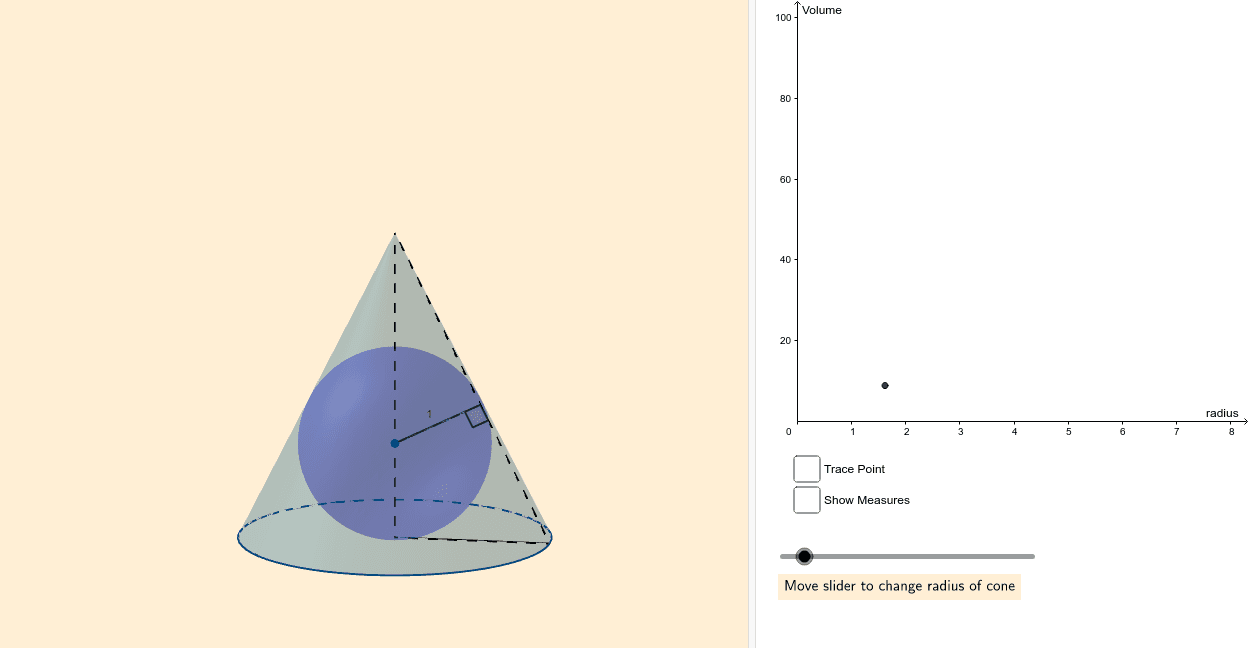
This example demonstrates the geometric relationship and dynamic changes of a unit sphere inscribed within a cone, focusing on calculus concepts like volume calculation, geometric constructions involving tangents and intersections, and spatial geometry. Key GeoGebra commands used include Tangent, Intersect, Sphere, Cone, Segment, OrthogonalLine, Angle, and Locus. Suitable for high school students and math enthusiasts exploring spatial geometry and calculus applications.
GeoGebra Commands & Parameters
Tangent(B, c) → a, bTangent(C, c) → d, eIntersect(a, e) → DSphere((0, 0, 1), 1) → fCone(A, E, r) → g, h, iSegment(A, C) → jSegment(A, E) → kSegment(C, E) → lOrthogonalLine(F, l, space) → mIntersect(m, l) → GSegment(F, G) → nAngle(C, G, F) → αLocus(P, r) → loc1Locus(P, r) → loc2
AI Drawing Prompt Reference
Draw a unit sphere inscribed in a cone. First, draw a unit sphere centered at the origin with a radius of 1. Then, draw a cone with its base circle at the bottom of the sphere and its apex at the top of the sphere. Next, draw two tangents to the sphere and the cone, find their intersection point D. Draw the spherical surface of the sphere, the side surface of the cone, the line segment from the bottom of the sphere to the base of the cone, a line perpendicular to this line segment, and find its intersection with the line segment. Draw the line segment FG and measure the angle CGF. Finally, draw the loci under specific conditions.
The prompt above was compiled from the original drawing commands and is for reference only.