
Building Squares
Loading the math board and drawing, please wait…
In collections
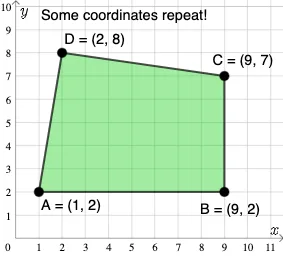
Open Middle: Building Special Quadrilaterals
This example demonstrates how to construct squares using GeoGebra. Key mathematical concepts include coordinate geometry and geometric construction. Using commands like PointIn, Polygon, and Segment, users can dynamically adjust the side length and position of the square. Suitable for middle school and above students to learn geometric transformations and coordinate geometry.
GeoGebra Commands & Parameters
PointIn(e) → APointIn(e) → BPointIn(e) → CPointIn(e) → DPolygon(A, B, C, D) → q1, a_1, b_1, c_1, d_1Segment(A, B) → fSegment(B, C) → gSegment(C, D) → hSegment(D, A) → iMode(l1) → l2If(Length[l2] ≟ 0, "No repeated coordinates.", "Some coordinates repeat!") → text1