
Build a Trig Equation with GeoGebra
Loading the math board and drawing, please wait…
In collections
Creating Trig Equations: Open Middle Exercises
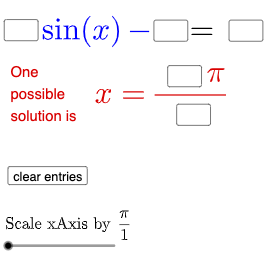
This example demonstrates how to construct and explore trigonometric equations using GeoGebra. It involves core math concepts like trigonometric functions, geometric transformations, coordinate geometry, and equation solving. Key GeoGebra commands and objects used include Textfield, Intersect, SurdText, Mode, If, and dynamic elements like sliders (a, b, c, d, e, f) and objects (eq1, h, g, A). Suitable for high school mathematics education to help students understand the geometric meaning and parameter effects of trigonometric equations.
GeoGebra Commands & Parameters
Textfield(a) → InputBox1Textfield(b) → InputBox2Textfield(c) → InputBox3Textfield(d) → InputBox4Textfield(e) → InputBox5Intersect(g, eq1) → ASurdText(x(A) / π) → text4Mode(l1) → l2If(Length[l2] ≟ 0, "No digits repeat.", "Repeated digits exist.") → text7
AI Drawing Prompt Reference
Create an interactive illustration for exploring the geometric meaning of a trigonometric equation. Provide input boxes for six parameters a, b, c, d, e (and the additional related value used to form the equation). Construct the equation’s resulting graphical object, intersect it with a reference element to obtain an intersection point A. Display a label that expresses the normalized coordinate of A in terms of π (for example, x(A)/π as a text readout). Include a mode switch that controls the form of the displayed result, and then show a message text based on the result’s length: if the length is zero, indicate “No digits repeat,” otherwise indicate that “Repeated digits exist.”
The prompt above was compiled from the original drawing commands and is for reference only.