
Slope Calculation and Linear Function Demo
Loading the math board and drawing, please wait…
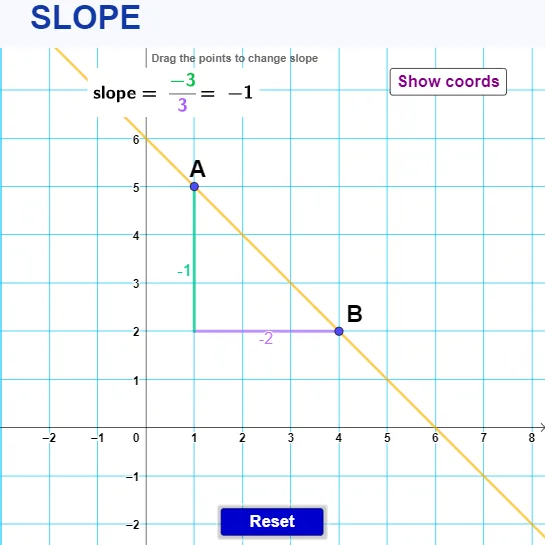
This example dynamically demonstrates point-line relationships and slope calculation through interactive elements. It covers core concepts like linear functions, slope, coordinate geometry, conditional probability, and random variables. Constructed using GeoGebra commands such as Line, OrthogonalLine, Intersect, Segment, and Text, it is ideal for high school mathematics instruction on function graphs and geometric properties.
GeoGebra Commands & Parameters
Line(A, B) → fOrthogonalLine(B, yAxis) → gOrthogonalLine(A, xAxis) → hIntersect(g, h) → CSegment(B, C) → iSegment(C, A) → jText(a) → text1Text(b) → text2
AI Drawing Prompt Reference
Draw a coordinate plane with a straight line passing through two given points. From one point, construct a line perpendicular to the y-axis, and from the other point, construct a line perpendicular to the x-axis; these two perpendicular lines intersect at a point. Connect this intersection point to both of the original points with two segments. Add two text labels on the figure to indicate the example’s variables or values.
The prompt above was compiled from the original drawing commands and is for reference only.