
Basic Trig Graphing Interactive Problem
Loading the math board and drawing, please wait…
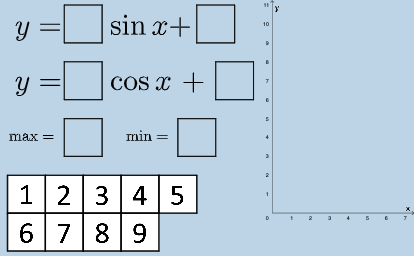
This GeoGebra example demonstrates how to plot basic trigonometric functions (sine and cosine). Through the dynamic connection between the unit circle and function graphs, students can intuitively understand the periodicity and symmetry of trigonometric functions. Key math concepts include: the graphs of sin(x) and cos(x), the relationship between unit circle coordinates and function values, and parameters like period, amplitude, and phase shift. Construction highlights: Using Polygon command for unit circle and auxiliary polygons, Sequence for angle generation, If statements for interactive elements, Textfield and RandomElement for randomized practice, and FractionText for displaying angle values in fractional form. Ideal for middle or high school math classes to demonstrate trigonometric concepts or for students to explore function properties independently.
GeoGebra Commands & Parameters
Polygon(A0, B, 4) → poly0, f, g, h, i, A, CPolygon(A3, H, 4) → poly3, j, k, l, m, E, GPolygon(A7, P, 4) → poly7, n, p, q, r, I, KPolygon(A1, D, 4) → poly1, s, t, a, b, M, OPolygon(A6, N, 4) → poly6, c, d, e, f_1, Q, SPolygon(A2, H2, 4) → poly2, k_1, l_1, m_1, n_1, W, ZPolygon(A8, A8 + (2, 0), 4) → poly8, g_1, h_1, i_1, j_1, U, VPolygon(A9, T, 4) → poly9, p_1, q_1, r_1, s_1, A_1, B_1Polygon(A4, J, 4) → poly4, t_1, a_1, b_1, c_1, C_1, D_1Polygon(A5, L, 4) → poly5, d_1, e_1, f_2, g_2, E_1, F_1Polygon(K_1, L_1, 4) → poly10, l_2, m_2, n_2, p_2, M_1, N_1Polygon(O_1, P_1, 4) → poly12, q_2, r_2, s_2, t_2, Q_1, R_1Polygon(S_1, T_1, 4) → poly13, a_2, b_2, c_2, d_2, U_1, V_1Polygon(C_2, D_2, 4) → poly15, i_3, j_3, k_3, l_3, E_2, F_2Polygon(G_2, H_2, 4) → poly16, m_3, n_3, p_3, q_3, I_2, J_2Polygon(G_{3}, H_{3}, 4) → poly17, m_{4}, n_{4}, p_{4}, q_{4}, I_{3}, J_{3}Polygon(C_{3}, D_{3}, 4) → poly14, i_{4}, j_{4}, k_{4}, l_{4}, E_{3}, F_{3}FractionText(u) → text4If(aleft > aright, "Left side is bigger.", aleft < aright, "Right side is bigger", "Both sides are equal!") → text9Textfield(w) → InputBox1If(o_1 < 0, "less than", o_1 > 0, "greater than", o_1 ≟ 0, "equal to") → text12RandomElement(l1) → oFactors(o) → m1RandomElement(m1) → l2, {2, 1}RandomElement(l2) → w_1Sequence((w_1 * i), i, 2, 12, 1) → l3, {4, 6, 8, 10, 12, 14, 16, 18, 20, 22, 24}RandomElement(l3) → e_2Sequence((o * i), i, 2, 12, 1) → l4, {36, 54, 72, 90, 108, 126, 144, 162, 180, 198, 216}RandomElement(l4) → i_2
AI Drawing Prompt Reference
Create a dynamic interactive plot showing a unit circle and sine/cosine function graphs, demonstrating the connection between the unit circle and function graphs to help students intuitively understand the periodicity and symmetry of trigonometric functions. Include sine and cosine graphs, show the relationship between unit circle coordinates and function values, and display parameters like period, amplitude, and phase shift. Use polygon tools for the unit circle and auxiliary polygons, sequence for angle generation, conditional statements for interactive elements, text boxes and random elements for randomized practice, and fraction text for angle values.
The prompt above was compiled from the original drawing commands and is for reference only.