
Bases and Heights of Parallelograms: IM 6.1.5 Activities 1-3
Loading the math board and drawing, please wait…
In collections
Grade 6 Unit 1: Area and Surface Area
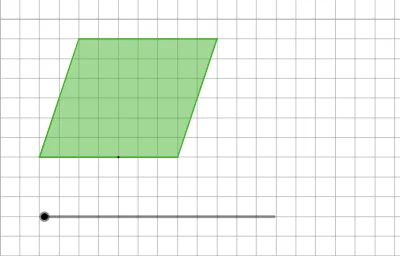
① This example shows how to construct a parallelogram in GeoGebra and dynamically display the relationship between its bases and corresponding heights. ② Core mathematical concepts include the area formula for parallelograms, definitions of base and height, and vector translation preserving parallelogram properties. ③ Construction highlights: Polygon creates the quadrilateral, Segment draws edges, Vector defines the translation vector, Translate moves the whole figure producing vertices A',B',C',D' and a new polygon poly1'. ④ Suitable for middle‑school geometry (grades 6‑8) and teacher lesson demonstrations, helping students visualize base‑height correspondence and area invariance.
GeoGebra Commands & Parameters
Polygon(A, B, C, D) → poly1, a, b, c, dPolygon(C, E, F, D) → poly2, c_1, e, f, d_1Segment((4, 0), (4, t)) → gSegment(D, C) → hVector((0, 0), (t - 7, 0)) → uTranslate(A, u) → A'Translate(B, u) → B'Translate(C, u) → C'Translate(D, u) → D'Polygon(A', B', C', D') → poly1', a', b', c', d'