
Arithmetic Sequence Calculator
Loading the math board and drawing, please wait…
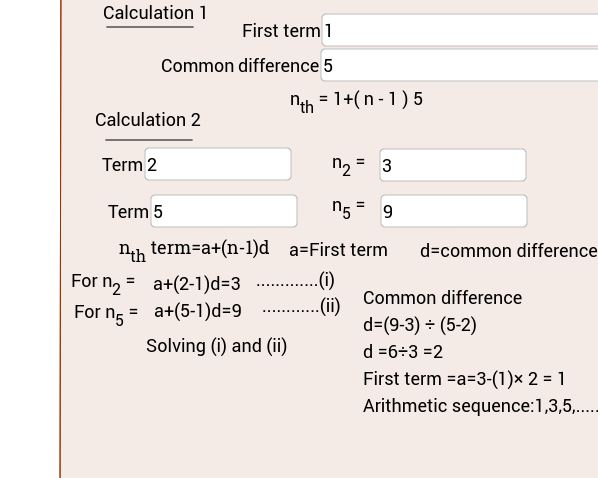
This example demonstrates how to use GeoGebra to calculate an arithmetic sequence. Key mathematical concepts include the definition and properties of arithmetic sequences. Using commands from the construction summary, such as TextField, Polygon, and Segment, the example creates a graphical representation of an arithmetic sequence. Suitable for high school mathematics education and learning about arithmetic sequences.
GeoGebra Commands & Parameters
Textfield(B2) → inputBox2Textfield(B1) → inputBox1Textfield(B4) → inputBox3Textfield(C4) → inputBox4Textfield(B5) → inputBox5Textfield(C5) → inputBox6Polygon(C, D, 4) → poly1, c, d, a, b, E, FSegment(G, H) → eSegment(G_1, H_1) → e_1
AI Drawing Prompt Reference
Create a graph of an arithmetic sequence by inputting the first term, common difference, and number of terms via text fields. Use polygons and segments to represent the first few terms of the sequence, illustrating the properties of an arithmetic sequence.
The prompt above was compiled from the original drawing commands and is for reference only.