
Area Under the Curve and Integral
Loading the math board and drawing, please wait…
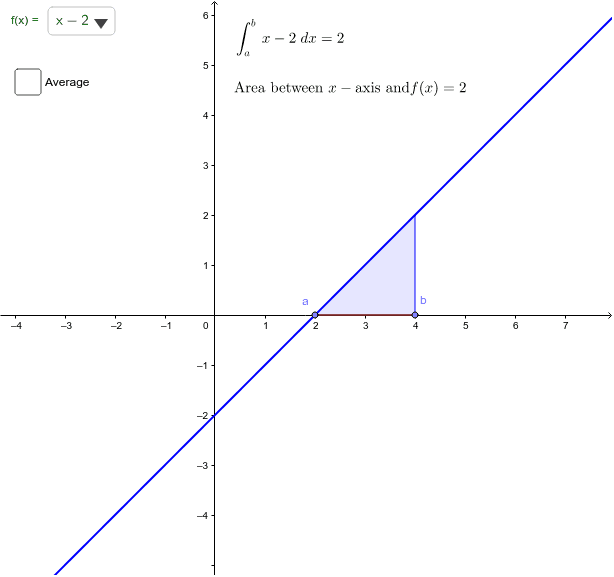
This applet illustrates the relationship between the area under the curve and the integral. Key mathematical concepts include integral and area. Using GeoGebra commands such as Integral, Point, and Textfield, the area under the curve and the integral can be constructed. Suitable for calculus education.
GeoGebra Commands & Parameters
SelectedElement(flist) → fPoint(xAxis) → aPoint(xAxis) → bIntegral(g_p, ax, bx) → PosIntIntegral(g_m, ax, bx) → NegIntTextfield(f_4) → inputBox1
AI Drawing Prompt Reference
Draw a function curve and mark two points on the x-axis to represent the limits of integration. Shade the area under the curve between these points, with positive and negative areas in different colors, and include a text box for the function expression to illustrate the relationship between the integral and the area, suitable for calculus education.
The prompt above was compiled from the original drawing commands and is for reference only.