
Area of Rectangles and Squares by mathspace
Loading the math board and drawing, please wait…
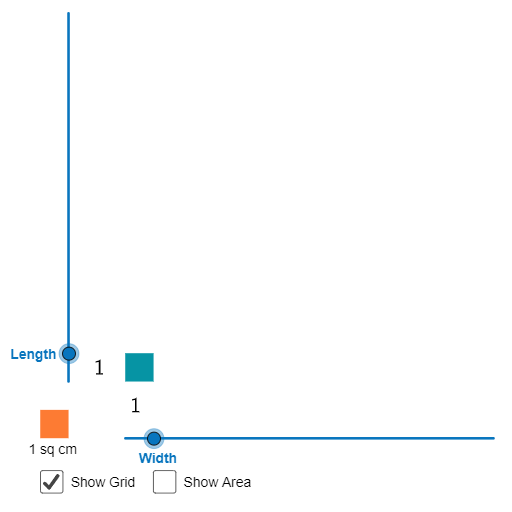
This example demonstrates dynamic calculation and visualization of rectangle and square areas using GeoGebra. Key math concepts include area formulas, geometric properties, and coordinate geometry. Construction highlights involve commands like Sequence, Polygon, Textfield, IsInteger, LaTeX, and objects such as unitsize, Width, Length, A, list1. Suitable for middle school and above for understanding area calculations and geometric constructions.
GeoGebra Commands & Parameters
Sequence((x(A) + (unitsize * i), y(A)), i, 1, Width) → list1Sequence((x(A) + (unitsize * i), y(A) + (Length * unitsize)), i, 1, Width) → list2Sequence((x(A), y(A) + (unitsize * i)), i, 1, Length) → list3Sequence((x(A) + Width, y(A) + (unitsize * i)), i, 1, Length) → list4Polygon(A, Element[list1, Width], Element[list2, Width], Element[list3, Length]) → poly1, a_1, b_1, c, dTextfield(Length) → LengthoutputTextfield(Width) → WidthoutputIsInteger(round(tesInput)) → fSequence(Segment[(0, i), (Width, i)], i, 1, Length - 1) → DHSequence(Segment[(i, 0), (i, Length)], i, 1, Width - 1) → DVLaTeX(Length) → HTextLaTeX(Width) → BTextPolygon(B, B + (1, 0), 4) → SqU, i, j, k, l, C, D
AI Drawing Prompt Reference
Draw a rectangle and a square with dynamic side lengths, showing an internal grid of dashed lines. Label the side lengths next to the shapes. The rectangle is formed by four segments and connecting lines, while the square extends from one corner of the rectangle, sharing a side. Include dynamic text showing the side lengths and ensure the square's side equals the rectangle's width.
The prompt above was compiled from the original drawing commands and is for reference only.