
Area Fun Using a Grid
Loading the math board and drawing, please wait…
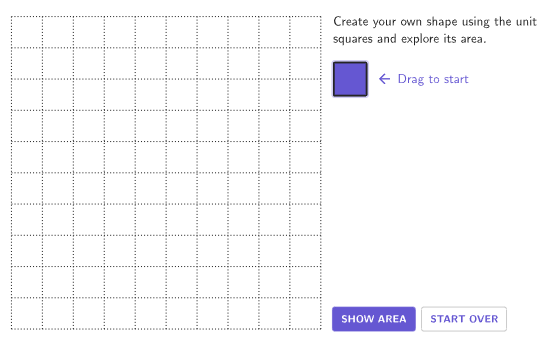
Build your own figures on a grid using unit squares to explore areas of rectangles, squares, and composite shapes. This example demonstrates area calculation, non-standard units, and standard units. Constructed using GeoGebra commands like Zip, PointToPixels, Flatten, Sequence, centerBox, Polygon, Remove, IsInRegion, Element, If, Vector, Sort, Length, Corner. Suitable for grades 4-5 to learn determining areas of rectangles, squares, and composite figures using grids and standard units.
GeoGebra Commands & Parameters
Zip(If[Mod[A, 10] ≟ 0, 20, 0] + Mod[A, 10] + ((9 - Div[A, 10]) * 10), A, filledIndex) → filledIndexReversePointToPixels(Corner[1], Corner[3], Corner[5], startPt) → StartPixelsFlatten(Sequence[Sequence[(Mod[A, gridMaxX], Mod[B, gridMaxY]), A, 0, gridMaxX - 1], B, 0, gridMaxY - 1]) → AllBoxPointsZip(Element[AllBoxPoints, A], A, filledIndex) → filledBoxPointsSequence(false, k, 1, 100) → falseListcenterBox(boxWidth, boxHeight, moveablePt) → moveableBoxcenterBox(boxWidth, boxHeight, startPt) → startBoxPolygon((0, 0) - (boxWidth / 2, boxHeight / 2), (gridMaxX, 0) - (boxWidth / 2, boxHeight / 2), (gridMaxX, gridMaxY) - (boxWidth / 2, boxHeight / 2), (0, gridMaxY) - (boxWidth / 2, boxHeight / 2)) → Region, f, g, h, iRemove(KeepIf[0 < x < (gridMaxX * gridMaxY) + 1, Unique[Flatten[Zip[If[Mod[A, 10] ≟ 1, {A + gridMaxX, A + 1, A - gridMaxX}, If[Mod[A, 10] ≟ 0, {A + gridMaxX, A - gridMaxX, A - 1}, {A + gridMaxX, A + 1, A - gridMaxX, A - 1}]], A, filledIndex]]]], filledIndex) → adjIndexZip(Element[AllBoxPoints, A], A, adjIndex) → adjPointsZip(Distance[A, closestIntPoint], A, adjPoints) → distanceListIsInRegion(moveablePt, Region) → inRegionElement(adjIndex, IndexOf[Min[distanceList], distanceList]) → minIndexIf(currentIndex ≟ 0, startPt, Element[AllBoxPoints, currentIndex]) → endPointVector(moveablePt, endPoint) → TransVeccenterBox(boxHeight, boxWidth, moveablePt + (animatePoint * (x(TransVec), y(TransVec)))) → movingBoxZip(If[A, "colorPurpleButton", "colorGreyInactiveButton"], A, boxList) → colorBoxesRemove(AllBoxPoints, filledBoxPoints) → greyBoxPointsZip(centerBox[boxHeight, boxWidth, A], A, greyBoxPoints) → greyBoxesZip(centerBox[boxHeight - gap, boxWidth - gap, A], A, filledBoxPoints) → filledBoxesSequence(Segment[(((-boxWidth)) / 2, ((-boxHeight)) / 2) + (A * (boxWidth, 0)), (((-boxWidth)) / 2, gridMaxY - boxHeight / 2) + (A * (boxWidth, 0))], A, 1, gridMaxX - 1) → verticalLinesSequence(Segment[(((-boxWidth)) / 2, ((-boxHeight)) / 2) + (A * (0, boxHeight)), (((-boxWidth)) / 2 + gridMaxX, ((-boxHeight)) / 2) + (A * (0, boxHeight))], A, 1, gridMaxY - 1) → horizontalLinesSort(filledIndex, filledIndexReverse) → sortedFilledIndexZip(Element[AllBoxPoints, A], A, Take[sortedFilledIndex, 1, fillArea]) → showAreaBoxPointsZip(centerBox[boxHeight - gap, boxWidth - gap, A], A, showAreaBoxPoints) → showAreaFilledBoxesLength(filledIndex) → areaZip(centerBox[boxHeight, boxWidth, A], A, Remove[filledBoxPoints, showAreaBoxPoints]) → emptyBoxOutlineCorner(5) → corner5onboardingTextOffset(Corner[onboardingText, 1], Corner[onboardingText, 3], 1, Corner[1], Corner[3], Corner[5]) → OnboardingTextOffsetexpandQuad(Vertex[moveableBox, 1], Vertex[moveableBox, 2], Vertex[moveableBox, 3], Vertex[moveableBox, 4], (7 * pulsing), Corner[1], Corner[3], Corner[5]) → pulsingSquareIf(area ≟ 1, "", "s") → sText
AI Drawing Prompt Reference
Draw an interactive area exploration figure on a grid. The grid consists of equal-sized square cells covering a rectangular region. Some cells are filled purple to represent selected unit squares, while others remain gray. A draggable square is used to select or deselect cells, and the filled area is highlighted. The figure includes grid lines, cell outlines, and a text label showing the current selected area. It is designed to demonstrate area calculation for rectangles, squares, and composite shapes, allowing the user to change the filled region by dragging.
The prompt above was compiled from the original drawing commands and is for reference only.