
Area of a Trapezium: Geometric Demonstration via Rotation
Loading the math board and drawing, please wait…
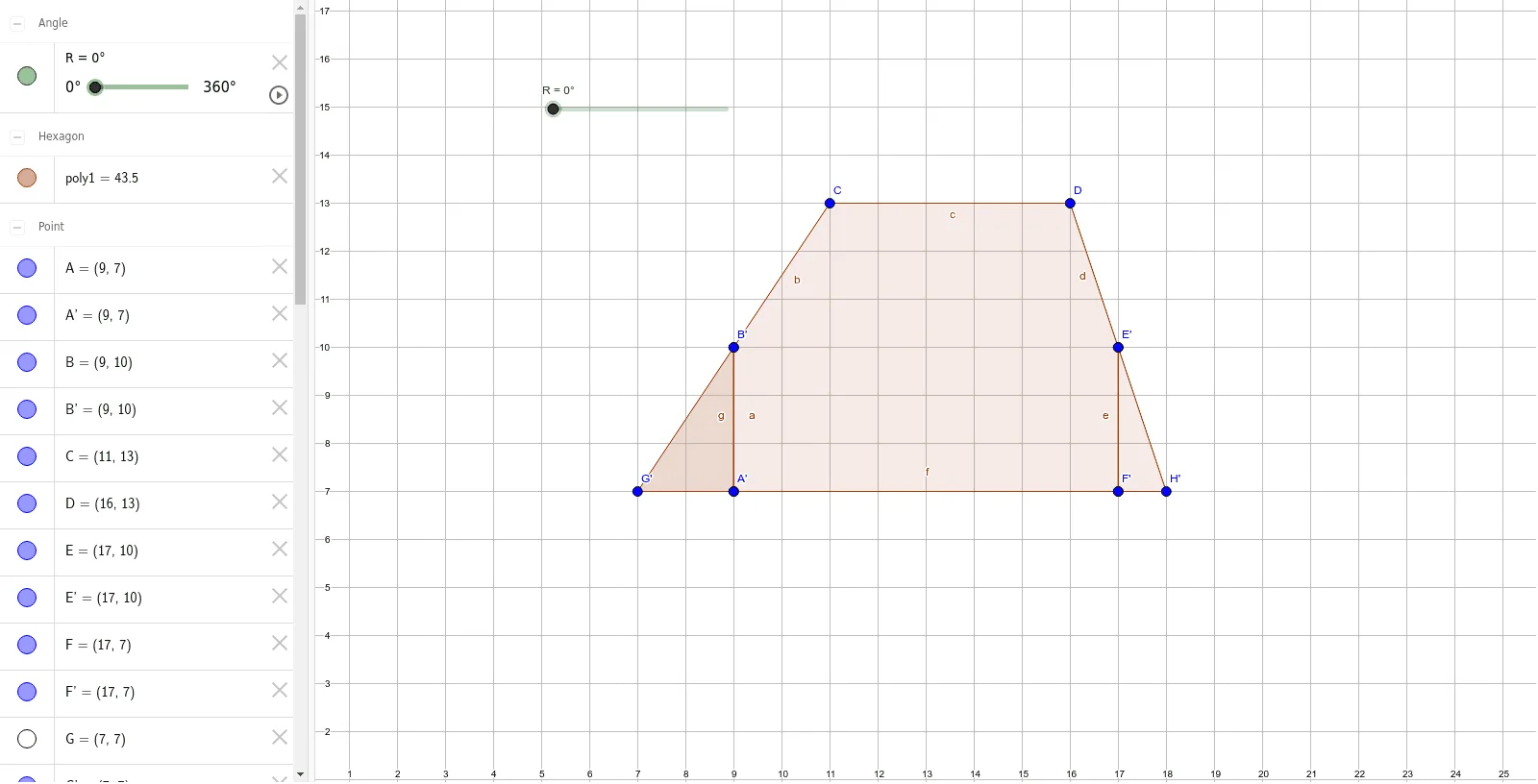
This GeoGebra example dynamically demonstrates the derivation of the trapezium (trapezoid) area formula through geometric construction and rotation. The core mathematical concept is the area formula for a trapezium: (sum of parallel sides) × height / 2, along with the property of rotational symmetry in geometry. The construction uses the Polygon command to create the trapezium and auxiliary polygons such as triangles and parallelograms, and the Rotate command to rotate parts by 180 degrees, rearranging them into a rectangle or parallelogram to visually verify the formula. Suitable for middle school or high school geometry lessons, this interactive tool helps students understand why the area formula works and how trapeziums relate to parallelograms and triangles. By dragging vertices or sliders, learners can observe that the area relationship holds for various trapezium shapes, reinforcing conceptual understanding.
GeoGebra Commands & Parameters
Polygon(A, B, C, D, E, F) → poly1, a, b, c, d, e, fPolygon(G, B, A) → poly2, a_1, g, b_1Polygon(F, E, H) → poly3, h, f_1, e_1Rotate(G, R, B) → G'Rotate(B, R, B) → B'Rotate(A, R, B) → A'Polygon(G', B', A') → poly2', a', g', b'Rotate(F, R, E) → F'Rotate(E, R, E) → E'Rotate(H, R, E) → H'Polygon(F', E', H') → poly3', h', f', e'
AI Drawing Prompt Reference
Draw a hexagon as the base outline of a trapezium, with two draggable vertices to adjust its shape. Inside the hexagon, construct a triangle and a quadrilateral on opposite sides. Rotate each of these auxiliary shapes by 180 degrees around one endpoint of their base, then attach the rotated copies to form a rectangle or parallelogram. This visual rearrangement demonstrates that the trapezium's area equals (sum of parallel sides) times height divided by two. Include sliders to dynamically change the height and base lengths, and ensure all key vertices are draggable to explore different trapezium shapes.
The prompt above was compiled from the original drawing commands and is for reference only.