
Area of a Circle II
Loading the math board and drawing, please wait…
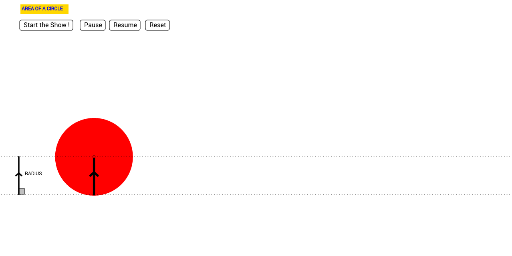
This applet provides an intuitive method for students to conceptually discover the formula for the area of a circle. Key mathematical concepts include the properties of circles, rotation, and area calculation. Using GeoGebra commands such as Circle, CircleArc, Segment, Point, and Intersect, students can observe and explore the changes in the area of a circle. Suitable for students from middle school and above.
GeoGebra Commands & Parameters
Circle((0, 0), 1 / (1 - m)) → dCircle(L, 1 / (1 - m)) → eCircleArc((0, 1 / (1 - m)), C, L) → fSegment(C, A) → aPoint(j) → FOrthogonalLine(F, i) → bIntersect(i, b) → GSegment(F, G) → lCircle(E, (0.95 * 2 / (2 - m))) → d_2Segment(H, D) → nCircle(H, (0.95 * 2 / (2 - m))) → c_2Segment(I, K) → a_1CircleArc((0, 1 / (3 - m)), I, J) → f_2CircleArc((0, 1 / (2 - m)), (0, 0.05), E) → e_2Segment(N, O) → kCircleArc((0, 1 / (4 - m)), N, M) → g_2Segment(P, Q) → b_1CircleArc((0, 1 / (5 - m)), P, R) → h_2Segment(S, T) → i_1CircleArc((0, 1 / (6 - m)), S, U) → k_2Segment(V, W) → j_1CircleArc((0, 1 / (7 - m)), V, Z) → p_2Segment(A_1, B_1) → l_1CircleArc((0, 1 / (8 - m)), A_1, C_1) → q_2Segment(D_1, E_1) → m_1CircleArc((0, 1 / (9 - m)), D_1, F_1) → r_2Segment(G_1, H_1) → n_1CircleArc((0, 1 / (10 - m)), G_1, I_1) → s_2Segment(J_1, K_1) → a_2CircleArc((0, 1 / (11 - m)), J_1, L_1) → t_2Segment(M_1, N_1) → b_2CircleArc((0, 1 / (12 - m)), M_1, O_1) → c_3Segment(P_1, Q_1) → i_2CircleArc((0, 1 / (13 - m)), P_1, R_1) → d_3Segment(S_1, T_1) → j_2CircleArc((0, 1 / (14 - m)), S_1, U_1) → e_3Segment(V_1, W_1) → l_2Segment(A_2, B_2) → m_2CircleArc((0, 1 / (16 - m)), A_2, C_2) → g_3CircleArc((0, 1 / (15 - m)), V_1, Z_1) → f_3Segment(D_2, E_2) → n_2CircleArc((0, 1 / (17 - m)), D_2, F_2) → h_3Segment(G_2, H_2) → a_3CircleArc((0, 1 / (18 - m)), G_2, I_2) → k_3Segment(J_2, K_2) → b_3CircleArc((0, 1 / (19 - m)), J_2, L_2) → p_3Segment(M_2, N_2) → i_3CircleArc((0, 1 / (20 - m)), M_2, O_2) → q_3Segment((0, 0), (0, 1)) → j_3Segment((0, 1), (6.283185307179586, 0)) → l_3Segment((0, 0), (6.283185307179586, 0)) → m_3Angle(A, C, P_2) → αAngle(A, G, F) → βSegment((-2, 0), (-2, 1)) → s_3Segment((0, 0), (6.283185307179586, 0)) → t_3
AI Drawing Prompt Reference
Draw a circle centered at the origin with radius 1/(1-m). Then draw a circular arc starting from (0,1/(1-m)) to point L. Next, draw a line segment from the center to point A. Draw a line perpendicular to a given line at point F. The intersection of these lines is point G, and draw a line segment FG. Draw a new circle with radius 0.95*2/(2-m) centered at point E. Draw a line segment from point H to point D. Draw a new circle with radius 0.95*2/(2-m) centered at point H. Draw a line segment from point I to point K. Draw a circular arc with center at (0,1/(2-m)), starting from I and ending at J. Draw a circular arc with center at the origin, starting from (0,0.05) and ending at E. Draw a line segment from point N to point O. Draw a circular arc with center at (0,1/(3-m)), starting from N and ending at M. Draw a line segment from point P to point Q.
The prompt above was compiled from the original drawing commands and is for reference only.