
Area Between Two Curves by Mark Willis
Loading the math board and drawing, please wait…
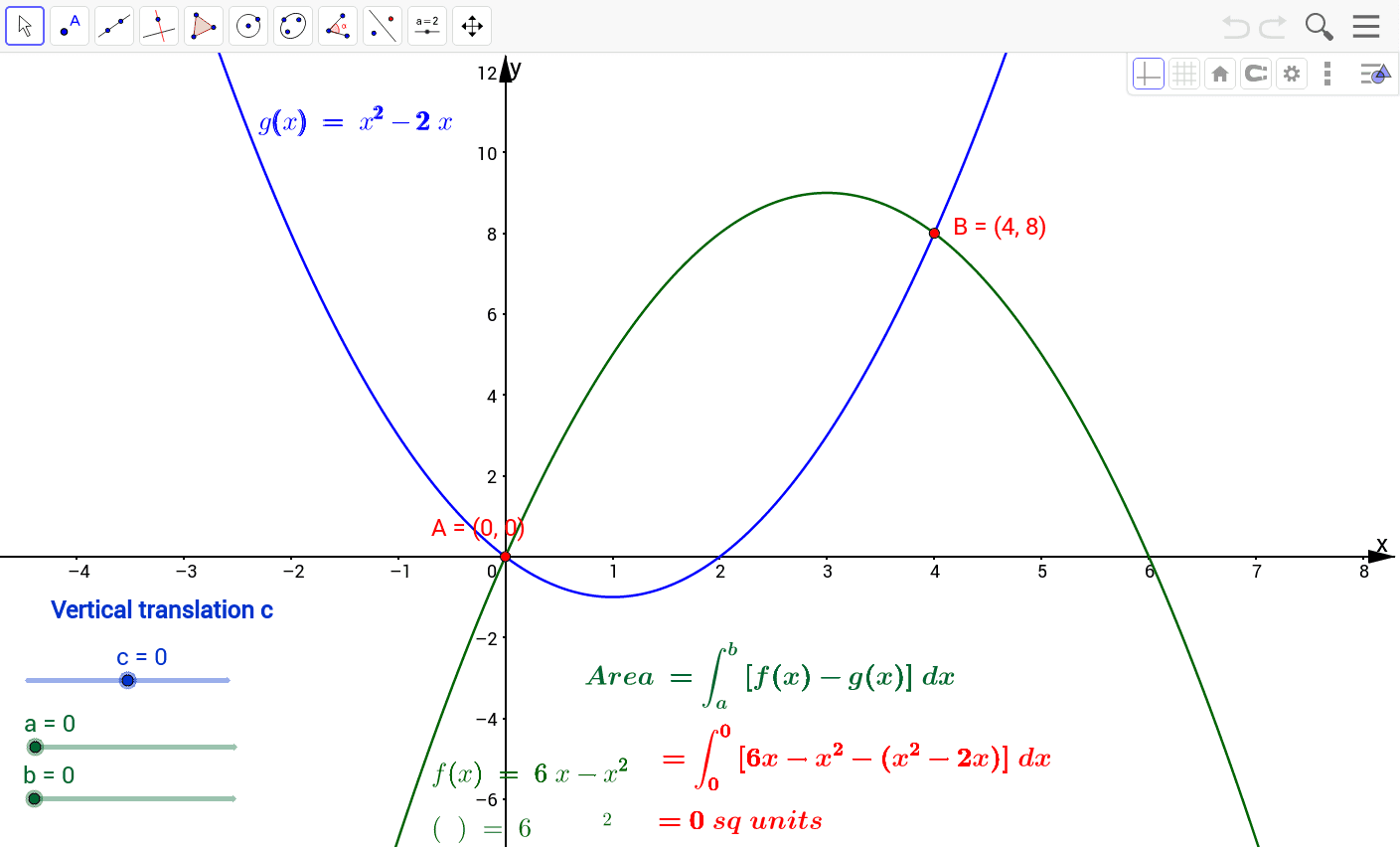
This example demonstrates how to calculate the area between two curves using GeoGebra. The core mathematical concepts include integration in calculus. By using the Intersect and IntegralBetween commands, the intersection points of the curves are found and the area is calculated. Suitable for high school and above students to learn curve integration applications.
GeoGebra Commands & Parameters
Intersect(f, g) → A, BIntegralBetween(f, g, a, b) → Area
AI Drawing Prompt Reference
Draw the area between two curves, using functions f(x) and g(x), find their intersection points, and then calculate the area between the curves within these intersection points.
The prompt above was compiled from the original drawing commands and is for reference only.