
Arc Length and Area of a Sector Dynamic Template
Loading the math board and drawing, please wait…
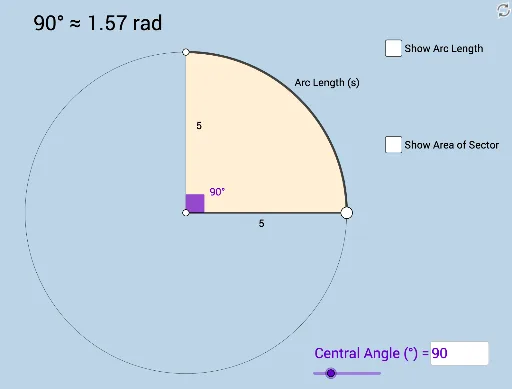
This example demonstrates how to dynamically explore the calculation methods of arc length and sector area of a circle. It involves core mathematical concepts such as circumference, angles, and sector area formulas. Construction highlights include using commands/objects like Point, Ray, Circle, Segment, Rotate, Angle, CircleArc, CircleSector, Textfield, Area, Circumference in GeoGebra. Suitable for high school mathematics teaching or student self-investigation.
GeoGebra Commands & Parameters
Point(yAxis) → ARay(A, (1, 0)) → hPoint(h) → BCircle(A, B) → cSegment(A, B) → fRotate(B, (a * π / 180), A) → B'Angle(B, A, B') → αCircleArc(A, B, B') → dSegment(A, B') → gCircleSector(A, B, B') → eTextfield(a) → InputBox1Area(c) → lCircumference(c) → m
AI Drawing Prompt Reference
Draw a circle with a line segment from the center to the circumference, and form an angle with the segment as one side. Represent the angle with an arc and a sector. Display the angle measure, the circle's circumference, and area. Use a slider to dynamically adjust the angle size and observe the changes in arc length and sector area.
The prompt above was compiled from the original drawing commands and is for reference only.