
Angular to Linear: No Numbers
Loading the math board and drawing, please wait…
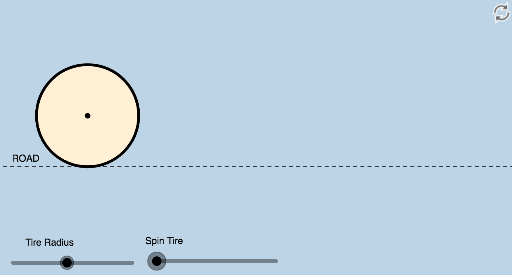
This applet visually demonstrates, without any numerical data, how far one moves forward when the wheels of a vehicle spin one revolution. It clearly illustrates the relationship between circular motion and linear motion. The core mathematical concepts involved include trigonometric functions and geometric transformations. The construction utilizes various GeoGebra commands and objects such as center, intersect, dilate, vector, translate, rotate, angle, segment, circle arc, and circle. Suitable for middle school and above students to understand the application of trigonometric functions in real life.
GeoGebra Commands & Parameters
Center(c) → BIntersect(c, d) → A, CDilate(C, 1 - f, D) → C'Vector(C, C') → uTranslate(c, u) → c'Center(c') → ERotate(C', (((-f) * 360))°, E) → C''Angle(C', E, C'') → αSegment(C, C') → gCircleArc(E, C', C'') → hCircleArc(E, C'', C') → kIntersect(i, j) → FCircle(F, D) → p
AI Drawing Prompt Reference
Draw a circle representing a wheel with its center marked. Place two points on the circle, one being the contact point with the ground. From the contact point, draw a segment along the ground direction, with length equal to the wheel radius scaled by a factor, and mark its endpoint as the new center. Translate the entire circle along this segment to get a shifted circle. Rotate the contact point around the new center by an angle proportional to the translation factor, placing the rotated point on the shifted circle. Connect the original and rotated contact points to form an arc, and complete the other arc to make a full circle. Finally, draw an auxiliary circle centered at a point on the ground, with radius equal to the distance from that point to the contact point, to illustrate the linear distance traveled in one wheel revolution.
The prompt above was compiled from the original drawing commands and is for reference only.