
Angles in Standard Position: Interactive GeoGebra Discovery
Loading the math board and drawing, please wait…
In collections
Similarity & Right Triangle Trigonometry
Similarity, Right Triangles, and Trigonometry (SRT) Cluster
Trigonometric Functions of Angles
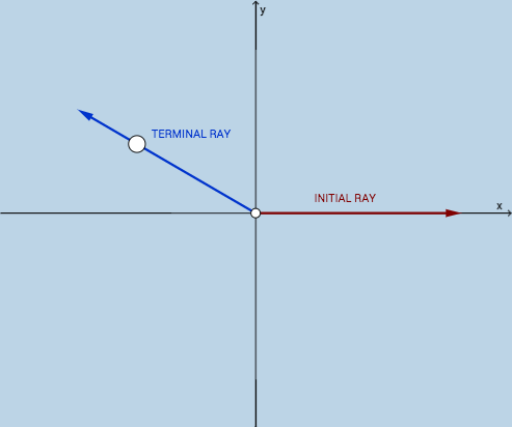
This GeoGebra example dynamically illustrates angles drawn in standard position, helping learners visualize the initial side, terminal side, and rotation direction. Core mathematical concepts include the definition of standard position, angle measurement, and the relationship between initial/terminal sides and trigonometric functions. The construction uses GeoGebra commands such as Vector, Circle, Point, Ray, and Intersect, along with geometric objects A, B, C and an interactive button for generating new configurations. It is suitable for middle to high school mathematics, particularly trigonometry introductions or coordinate geometry units, supporting classroom demonstration, interactive practice, and independent exploration.
GeoGebra Commands & Parameters
Vector(A, C) → uCircle(A, B) → cCircle(A, C) → dPoint(c) → DRay(A, D) → fIntersect(d, f, 1) → EVector(A, E) → v
AI Drawing Prompt Reference
Draw an angle in standard position: start with a horizontal ray from the origin as the initial side. Then draw two concentric circles centered at the origin. Pick a point on the inner circle, and draw a ray from the origin through that point as the terminal side. This ray intersects the outer circle at another point. Finally, draw a vector from the origin to that intersection point to represent the terminal side. Include the origin, both rays, both circles, and the vector, with the rotation direction clearly indicated.
The prompt above was compiled from the original drawing commands and is for reference only.