
Angles in an Equilateral Triangle
Loading the math board and drawing, please wait…
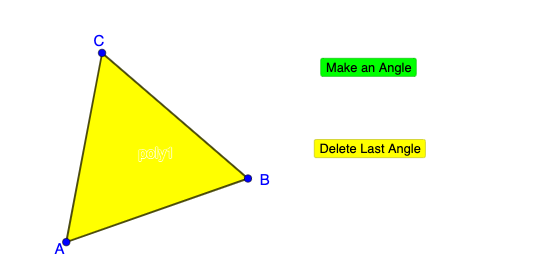
① This GeoGebra example dynamically demonstrates that all interior angles of an equilateral triangle are 60°, with interactive buttons to explore angle measurements and visual changes. ② The core mathematical concepts include properties of equilateral triangles, the triangle angle sum theorem, and angle measurement, relating to polygons and angles. ③ Construction highlights: using the Polygon command to create triangle ABC, generating sides f, g, h and vertex C, with buttons button1 and button2 to control dynamic displays, possibly a slider n to adjust parameters, and functions or charts to illustrate angle relationships. ④ Suitable for middle school geometry lessons, providing an intuitive understanding of equal angles in equilateral triangles, exploring polygon angle sums, or serving as an introductory dynamic geometry activity.
GeoGebra Commands & Parameters
Polygon(A, B, 3) → poly1, f, g, h, C
AI Drawing Prompt Reference
Draw an equilateral triangle. Start with two points A and B, then construct a third vertex C so that triangle ABC has equal sides, forming an equilateral triangle. Show the three sides and the vertex C clearly. The purpose is to visualize and measure the interior angles, corresponding to the case where all three interior angles are about 60°. Keep the scene suitable for later interactive controls (such as buttons or a parameter slider) to explore how angle readouts and visual emphasis can change.
The prompt above was compiled from the original drawing commands and is for reference only.