
Angle Orientations (Standard Position) - Dynamic & Modifiable Illustrator
Loading the math board and drawing, please wait…
In collections
Trigonometric Functions of Angles
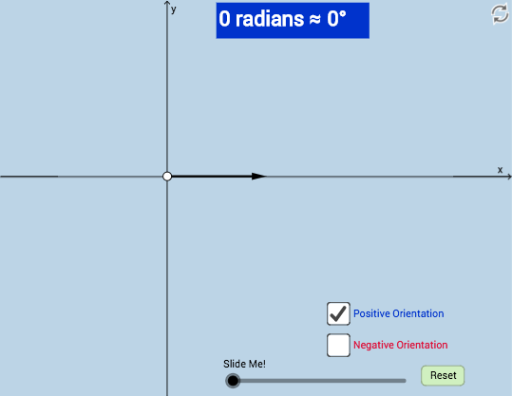
① This example dynamically illustrates how positive and negative angles are drawn in standard position (vertex at origin, initial side along positive x-axis), with an interactive and modifiable interface. ② Core math concepts include standard position of angles, orientation (counterclockwise for positive, clockwise for negative), and dynamic angle measurement. ③ Construction uses GeoGebra commands such as CurveCartesian, Segment, Circle, Intersect, CircleArc, Angle, Ray, Vector, and Mirror; objects include points (A, B, C, D, E, etc.), segments, circles, angle α, and a button (button1) for interactive modification. ④ Suitable for middle and high school students learning angle concepts, introductory trigonometry, or geometry; also useful for teachers demonstrating angle orientation in class or for students exploring angle direction and magnitude independently.
GeoGebra Commands & Parameters
CurveCartesian(((a * t) * cos(t)), ((a * t) * sin(t)), t, 0, (6 * π)) → cCurveCartesian(x(A), y(A), w, 0, (6 * π)) → bSegment(B, A) → gCircle(B, g) → dIntersect(d, y = 0) → C, DCircleArc(B, D, A) → eAngle(D, B, A) → αCurveCartesian(((a * t) * cos(t)), ((a * t) * sin(t)), t, 0, w) → hCircle(B, (1.25 * g)) → kRay(B, A) → lIntersect(k, l, 1) → EVector(B, E) → uIntersect(k, y = 0) → F, GVector(B, G) → v_1Mirror(h, y = 0) → h'Mirror(E, y = 0) → E'Vector(B, E') → vVector(B, H) → q