
Angle Bisector Definition and Geometric Construction
Loading the math board and drawing, please wait…
In collections
Congruence (CO) Cluster
Congruence (Vol 1)
Congruence (Vol 1) Over 80 Resources
CCSS High School: Geometry (Congruence) Volume 1 S N ATTAR
Geometry (Congruence) Volume 1
CCSS High School: Geometry (Congruence) Volume 1
CCSS High School: Geometry (Congruence) Volume 1
CCSS High School: Geometry (Congruence) Volume 1
CCSS High School: Geometry (Congruence) Volume 1
CCSS High School: Geometry (Congruence) Volume 1
CCSS High School: Geometry (Congruence) Volume 1
CCSS High School: Geometry (Congruence) Volume 1
CCSS High School: Geometry (Congruence) Volume 1
CCSS High School: Geometry (Congruence) Volume 1
CCSS High School: Geometry (Congruence) Volume 1
CCSS High School: Geometry (Congruence) Volume 1
GCSE Higher Ch8 Transformations & Constructions
CCSS High School: Geometry (Congruence) Volume 1
Points, Lines, Planes, and Angles
Points, Lines, Planes, and Angles
Geometry: Introductory Definitions, Postulates, Theorems
Congruence: Volume 1 - Chapter 1
Congruence: Volume 1 - Chapter 1
Triangles: Points of Concurrency
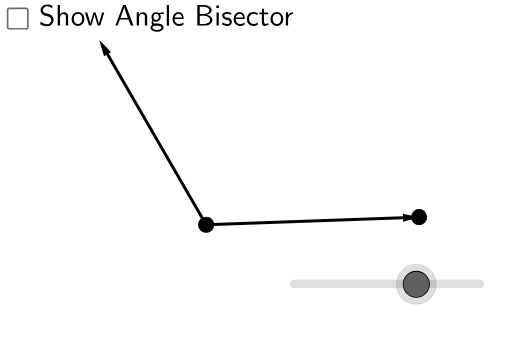
This GeoGebra example dynamically demonstrates the definition of an angle bisector and its related properties within triangles. The core mathematical concepts include angle measurement, the property that an angle bisector divides an angle into two equal smaller angles, and connections to special triangle centers such as the incenter and centroid. Construction details: using commands like Circle, Vector, Ray to build the sides and vertex of the angle, Intersect, Rotate, Angle to determine the bisector, and Distance, CircleSector to measure and visualize angle relationships, along with Point, buttons, and text objects for interactive control. Suitable for middle and high school geometry classes, this resource helps students grasp the essence of angle bisectors, explore the angle bisector theorem and incenter properties, and serves as a dynamic tool for demonstration and inquiry-based learning.
GeoGebra Commands & Parameters
Circle(A, B) → cVector(A, B) → uRay(A, B) → gDistance(A, B) → aCircle(A, (0.3 * a)) → dIntersect(d, g, 1) → DRotate(B, α, A) → CAngle(B, A, C) → βRay(A, C) → fRotate(B, β / 2, A) → B'_1Angle(B, A, B'_1) → γVector(A, C) → wRay(A, B'_1) → hIntersect(d, h, 1) → C_1CircleSector(A, D, C_1) → eRotate(e, (b * γ), A) → e'Intersect(c, h, 1) → EVector(A, E) → iVector(A, B) → jVector(A, C) → kPoint(h) → F
AI Drawing Prompt Reference
Draw an angle with a vertex and two rays extending outward. Place a small circle centered at the vertex, intersecting one ray. Rotate the other ray around the vertex to form a given angle, then construct the angle bisector. Mark a point on the bisector and draw a ray from the vertex through it. Use a circular sector centered at the vertex to connect the intersection points on the bisector and the small circle, then rotate this sector to show the bisector divides the angle into two equal parts. Finally, place a movable point on the bisector and indicate relevant vectors and distances.
The prompt above was compiled from the original drawing commands and is for reference only.