
Andy Murray Logo: Vector Geometry Construction
Loading the math board and drawing, please wait…
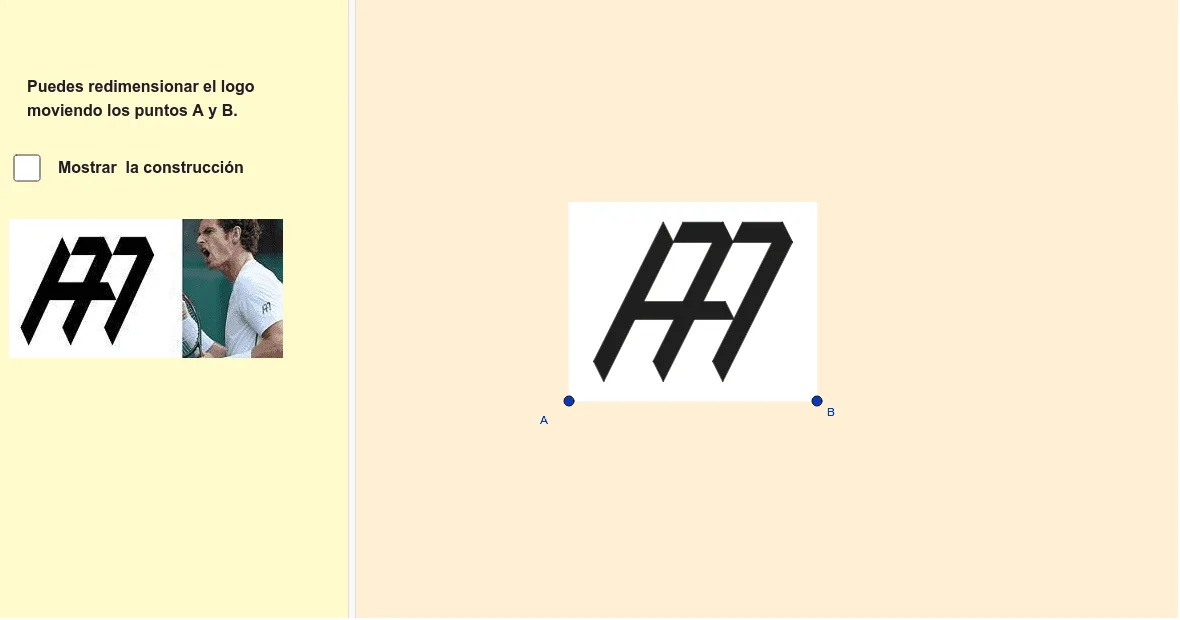
This GeoGebra example constructs a stylized logo for tennis player Andy Murray using vector geometry and transformation tools. It demonstrates how to turn a text-based logo into an exact mathematical figure by combining lines, perpendiculars, angle bisectors, and mirror symmetries. Core mathematical concepts include 2D vectors, orthogonal vectors, lines and perpendiculars, reflection, polygon filling, and parametric curves. The construction uses commands such as LineBisector, Vector, OrthogonalVector, Line, OrthogonalLine, Mirror, Intersect, and Polygon, with numerous named points (A, B, D, E, F, O, K, M, P, Q, etc.), auxiliary lines, circles, and text labels. This example is suitable for high school or early college geometry and vector courses, serving as a creative exercise in applying vectors, symmetry, and geometric construction, and can also be used in interdisciplinary projects linking mathematics and graphic design.
GeoGebra Commands & Parameters
LineBisector(A, B) → nVector(A, B) → uOrthogonalVector(u) → vLineBisector(A_1, A) → lLine(A, B) → sOrthogonalLine(D, s) → iMirror(i, n) → i'OrthogonalLine(A, s) → bOrthogonalLine(F, b) → fMirror(f, l) → f'Intersect(i, f') → EOrthogonalLine(L, b) → pIntersect(i', p) → SMirror(E, n) → E'LineBisector(P, Q) → tIntersect(t, p) → C_1Intersect(i, f) → ZLineBisector(A, B) → mIntersect(m, l) → IOrthogonalLine(A_1, b) → rOrthogonalLine(K, l) → jOrthogonalLine(B, u, xOyPlane) → gIntersect(g, r) → CMirror(f, l) → f'_1Mirror(F, l) → F'Polygon(A_1, C, B, A) → c4, a_1, c_3, b_2, a_2Intersect(m, f') → JIntersect(i', f) → NOrthogonalLine(U, b) → hIntersect(i, l) → GOrthogonalLine(H, b) → kLineBisector(K, M) → qIntersect(q, p) → WPolygon(U, K, W, B_1) → c1, u_1, k_1, w, b_1Polygon(C_1, Q, O, S) → c3, a, e, f_1, g_1Polygon(W, M, P, C_1) → c2, w_1, m_1, p_1, c_1Line(S, u_1) → cIntersect(l, w) → TIntersect(k, w) → D_1Line(O, c) → dIntersect(d, k) → RLine(R, b_1) → h_1Intersect(h_1, l) → VPolygon(T, V, R, D_1) → c5, t_1, v_1, r_1, d_1Intersect(d, h) → E_1Intersect(c, f) → F_1Polygon(E_1, O, S, F_1) → c6, i_1, o, s_1, j_1Line(Q, d) → l_1Line(P, l_1) → n_1Intersect(l_1, f) → G_1Intersect(h, n_1) → H_1Polygon(G_1, H_1, P, C_1) → c7, q_1, f_2, p_2, g_2
AI Drawing Prompt Reference
Draw a symmetric geometric logo composed of multiple polygons and auxiliary lines. Start with a horizontal baseline and two base points, then construct perpendicular vectors and angle bisectors. Use perpendiculars, reflections, and intersections to generate key points, then connect them to form several filled quadrilaterals and triangles. The overall design is mirror-symmetric, featuring parallel, perpendicular, and slanted lines that enclose distinct regions. The final result is an abstract emblem of geometric lines and color blocks, resembling a stylized letter monogram in vector style.
The prompt above was compiled from the original drawing commands and is for reference only.