
90-Degree Clockwise Rotation: What's My Rule #5
Loading the math board and drawing, please wait…
In collections
Transformations
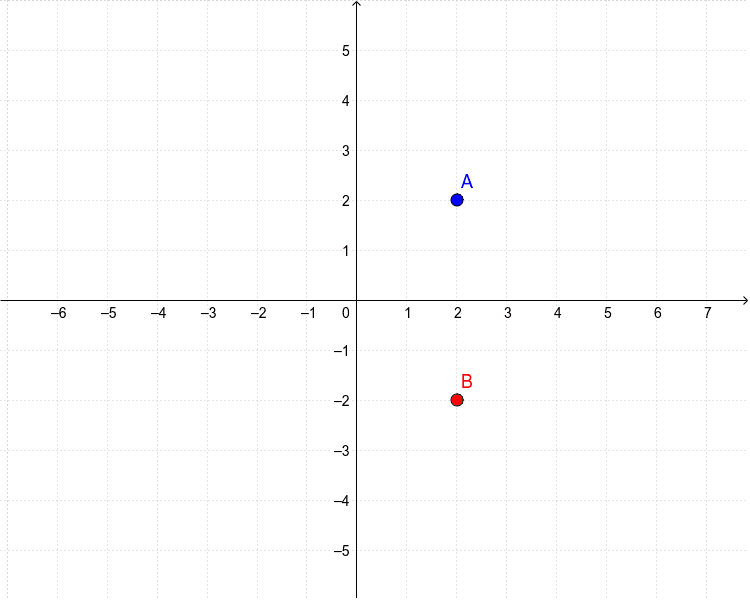
This example demonstrates a 90-degree clockwise rotation of point A to point B about a fixed center in the coordinate plane, illustrating the geometric phenomenon of planar rotation and the resulting positional relationship between pre-image and image. Core mathematical concepts include coordinate geometry, plane rotation transformations, 90-degree angles, clockwise direction, and coordinate transformation rules. Construction highlights: based on the provided construction summary, the example uses objects A and B; in GeoGebra, B is constructed as the image of A under a 90-degree clockwise rotation about a chosen center, with the coordinate axes available to observe how coordinates change under the transformation. Suitable for middle school and high school geometry instruction, classroom demonstrations, and inquiry-based “guess the rule” activities, helping students develop dynamic intuition and reasoning skills for rigid transformations.
GeoGebra Commands & Parameters
Point A(2.0, 2.0)(y(A), -x(A))
AI Drawing Prompt Reference
Draw a Cartesian coordinate system with the origin as the center of rotation. Plot a point at (2,2) and then plot its image after a 90‑degree clockwise rotation about the origin, which lands at (2,−2). Show the axes and optionally connect the origin to both points with dashed lines to illustrate the rotation path. The diagram helps students see how coordinates transform under a right‑angle turn.
The prompt above was compiled from the original drawing commands and is for reference only.