
3D Sphere with Two Holes Construction
Loading the math board and drawing, please wait…
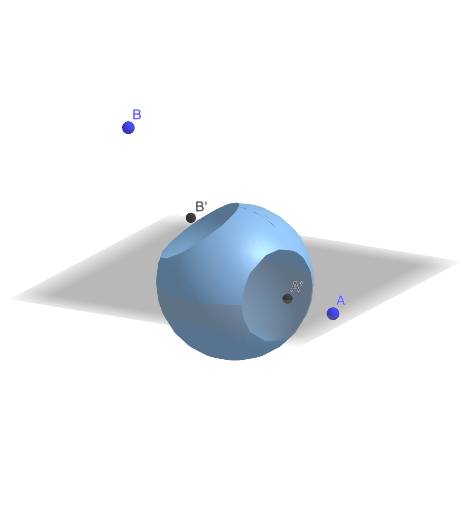
This example demonstrates how to construct a sphere with two holes using GeoGebra's Surface command in 3D. The core mathematical concept involves solid geometry and parametric surface representation. Based on the construction summary, it uses the Surface command to create a parametric surface, with points A and B defining hole centers, radius r controlling sphere size, and trigonometric functions (cosA, cosB) parameterizing hole positions. The resulting surf object represents the final surface with two through-holes. This example is suitable for high school and university students studying spatial geometry, parametric surfaces, and 3D visualization tools in mathematics education.
GeoGebra Commands & Parameters
Surface(((ind(cosA(inX(ϕ, θ), inY(ϕ, θ), inZ(ϕ, θ))) * ind(cosB(inX(ϕ, θ), inY(ϕ, θ), inZ(ϕ, θ)))) * inX(ϕ, θ)), inY(ϕ, θ), inZ(ϕ, θ), ϕ, 0, π, θ, 0, (2 * π)) → surf
AI Drawing Prompt Reference
Create a 3D sphere with two through-holes. The sphere's surface is defined parametrically, with the hole centers located at two points on the sphere and the hole radius controlled by the sphere's radius. Construct the surface by first identifying the two hole center points on the sphere, then parameterizing the hole positions using trigonometric functions, and finally generating the complete surface with two symmetric through-holes. The result should clearly show the solid geometry structure with visible openings, suitable for educational demonstration of spatial geometry and parametric surfaces.
The prompt above was compiled from the original drawing commands and is for reference only.