
2D and 3D Cross Product Demonstration
Loading the math board and drawing, please wait…
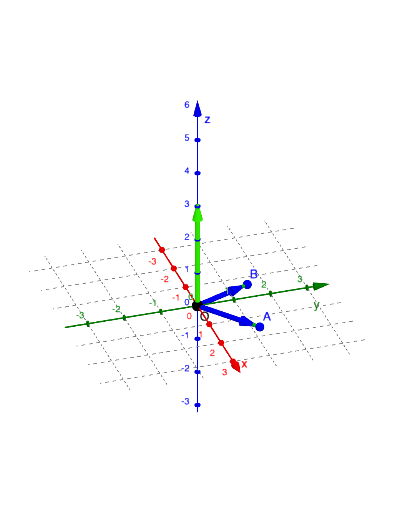
This example demonstrates the cross product in 2D and 3D space. It involves basic concepts of vectors and geometry. Using GeoGebra commands such as Point, Vector, Line, Intersect, etc., it constructs vectors and their cross products. Suitable for high school mathematics education and learning.
GeoGebra Commands & Parameters
Point(yAxis) → OVector(O, A) → uVector(O, B) → vLine(B, u) → fLine(A, v) → gIntersect(f, g) → CPolygon(A, C, B, O) → q1, a, c, b, oMidpoint(C, O) → DPolygon(B, O, A, C) → q2, b_1, o_1, a_1, c_1Vector(O, E) → wVector(O, E) → e
AI Drawing Prompt Reference
Draw a triangle formed by two vectors. The vectors originate from the origin and point in different directions. The triangle is formed by these vectors and their intersection point. The intersection point is where the lines of the vectors cross. There is also a midpoint marked inside the triangle. The overall shape illustrates the relationship between vectors and geometry, suitable for mathematical learning.
The prompt above was compiled from the original drawing commands and is for reference only.