
两个矩形与三角形的面积和周长关系
几何画板及绘图内容加载中,请稍等……
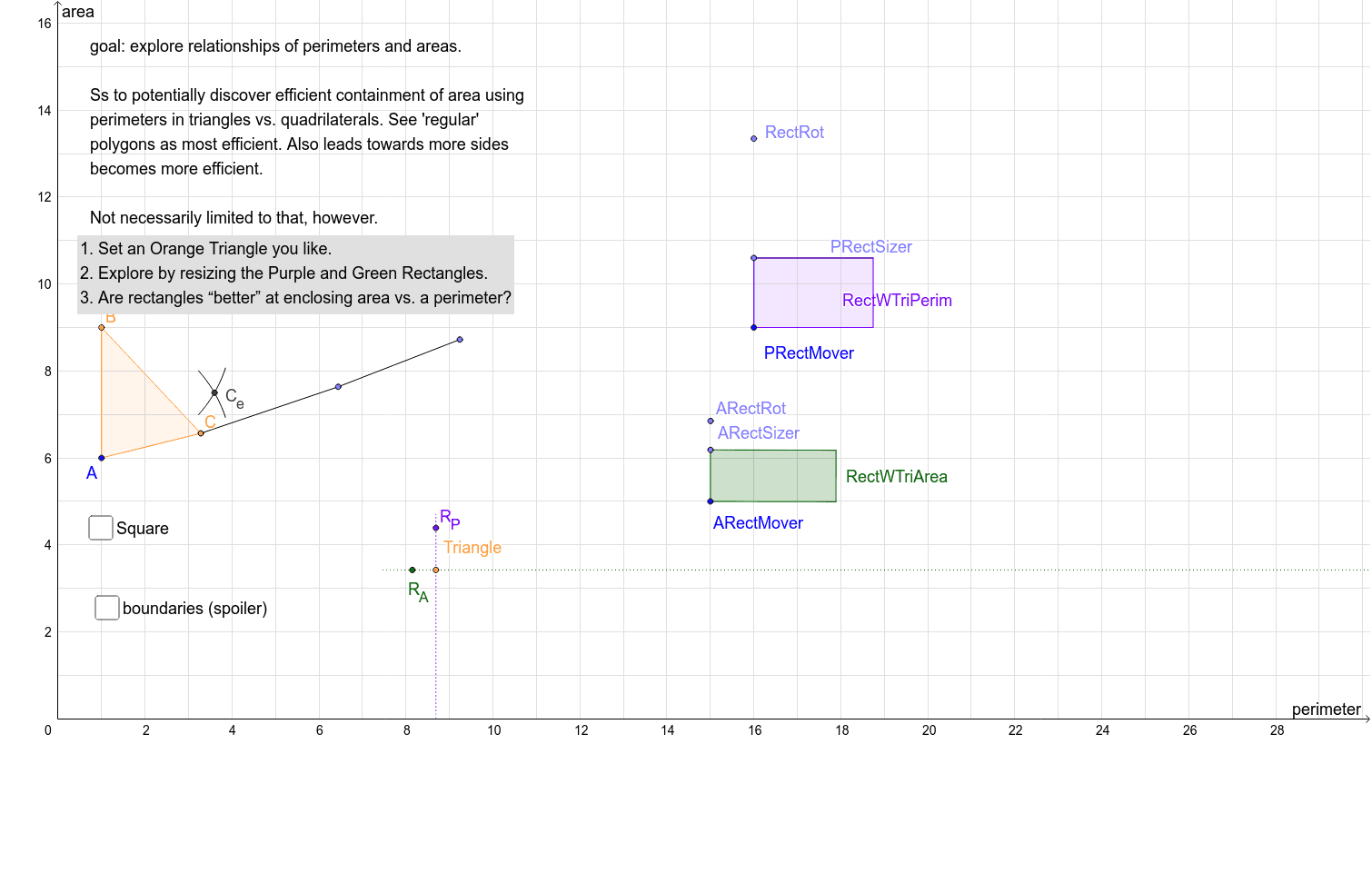
①本范例演示两个矩形与三角形共享周长或面积的关系,探讨矩形围合面积的效果;②涉及核心数学概念:周长、面积、几何变换、二次函数与对数函数;③作图要点:使用Polygon、Circle、Point、Segment、Intersect、Distance、Rotate、Angle、Line、OrthogonalLine、Locus等命令构建图形,通过PRectMover、poly1、triPerim、rootTriArea等对象进行动态演示;④适合高中数学教学,用于理解几何变换与函数应用。
GeoGebra 命令及参数
Polygon(A, B, C) → poly1, c, a, bCircle(PRectMover, halfTriPerim) → c_1Point(c_1) → RectRotSegment(PRectMover, RectRot) → a_1Circle(PRectMover, (0.99 * a_1)) → q_1Intersect(q_1, a_1) → V,Segment(V, PRectMover) → PRectDomainPoint(Circle[A, rootTriArea]) → DSegment(A, D) → ePolygon(A, D, 4) → poly2, f, g, h, i, E, FPoint(Circle[D, rootTriArea]) → GSegment(D, G) → lPoint(Circle[G, rootTriArea]) → HSegment(G, H) → mPoint(Circle[H, rootTriArea]) → ISegment(H, I) → nPoint(Circle[C, a]) → JSegment(C, J) → pPoint(Circle[J, c]) → KSegment(J, K) → qCircle(B, A) → sCircle(A, B) → tIntersect(s, t) → M, N, ,Distance(L, r) → oPoint(PRectDomain) → PRectSizerRotate(PRectMover, -90°, PRectSizer) → P'Angle(PRectMover, PRectSizer, P') → αLine(PRectSizer, P') → b_1Segment(PRectMover, PRectSizer) → d_1Circle(PRectSizer, halfTriPerim - d_1) → e_1Intersect(e_1, b_1, 1) → SSegment(PRectSizer, S) → f_1OrthogonalLine(S, f_1) → g_1OrthogonalLine(PRectMover, d_1) → h_1Intersect(g_1, h_1) → TPolygon(PRectMover, PRectSizer, S, T) → RectWTriPerim, p_1, r_1, s_1, t_1Segment(P, Q) → dPoint(Circle[ARectMover, f]) → ARectRotSegment(ARectMover, ARectRot) → ARectDomainPoint(ARectDomain) → ARectSizerOrthogonalLine(ARectSizer, ARectDomain) → kOrthogonalLine(ARectMover, ARectDomain) → i_1Circle(ARectSizer, equiAreaRectHeight) → k_1Intersect(k_1, k, 2) → ZOrthogonalLine(Z, k) → j_1Intersect(i_1, j_1) → A_1Polygon(ARectMover, ARectSizer, Z, A_1) → RectWTriArea, u, w, z_1, a_2Locus(R_A, ARectSizer) → loc1Locus(R_P, PRectSizer) → loc2
AI 绘图提示语参考
画一个三角形和两个矩形,其中一个矩形与三角形共享周长,另一个共享面积。展示三角形顶点移动时,两个矩形如何变化,并标出关键点、线段和圆,包括与三角形周长或面积相关的构造。先画出三角形,再画出共享周长的矩形,通过圆和交点确定位置,然后画出共享面积的矩形,利用面积和周长关系调整大小和形状。
以上提示语为根据原始绘图命令整理而来,仅供参考。