
旋转变换站:旋转中心的影响
几何画板及绘图内容加载中,请稍等……
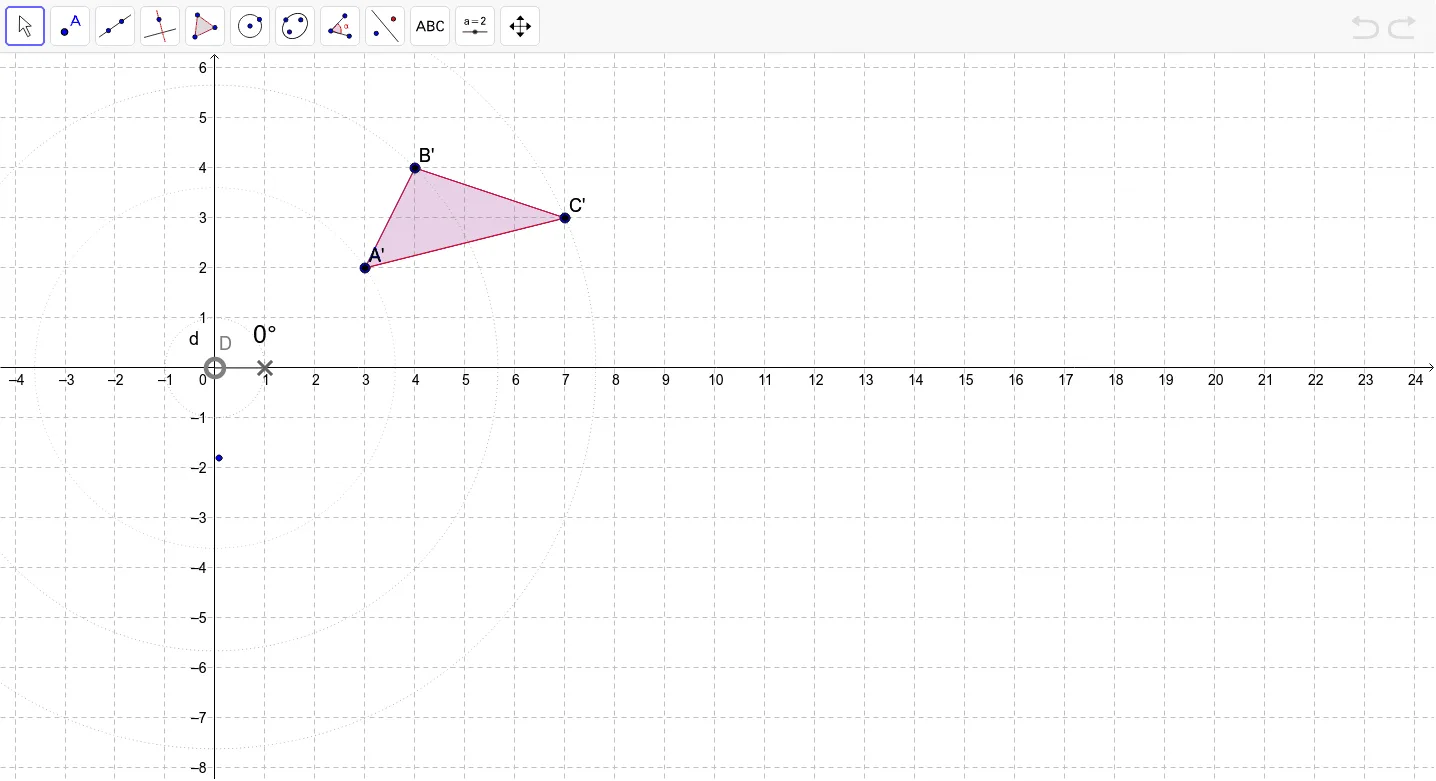
This interactive GeoGebra example demonstrates the rotation transformation in the plane, focusing on how the location of the rotation center affects the resulting image. Users can explore the concept of rotation, including the center, angle, and the invariant properties of distance and shape. The construction uses commands such as Polygon to create the original polygon, Circle and Point to define the center and auxiliary circles, CircleSector and Angle to visualize the rotation angle α, and Rotate to generate the rotated polygon and its associated objects (A', B', C', poly1', c', a', b'). Additional elements like CircleArc, segments f, g, h, and points G, k, p, q help illustrate the rotation paths and correspondences. Suitable for middle and high school students learning geometric transformations, and for teachers to demonstrate the effect of changing the rotation center in a dynamic way.
GeoGebra 命令及参数
Polygon(A, B, C) → poly1, c, a, bCircle(D, 1) → dPoint(d) → FCircleSector(D, E, F) → eAngle(E, D, F) → αRotate(A, α, D) → A'Rotate(B, α, D) → B'Rotate(C, α, D) → C'Polygon(A', B', C') → poly1', c', a', b'CircleArc(D, A, A') → fCircleArc(D, B, B') → gCircleArc(D, C, C') → hCircle(D, A) → kCircle(D, B) → pCircle(D, C) → q
AI 绘图提示语参考
画一个三角形,并围绕一个点旋转它,展示旋转过程。首先画出原始三角形,然后确定旋转中心并画出辅助圆。用扇形和角度标示旋转角度,旋转三角形得到新位置,并用弧线连接对应顶点。画出原顶点到新顶点的路径,并画出以旋转中心为圆心、顶点为半径的圆,展示旋转前后对应关系。
以上提示语为根据原始绘图命令整理而来,仅供参考。