
三维平方和演示
几何画板及绘图内容加载中,请稍等……
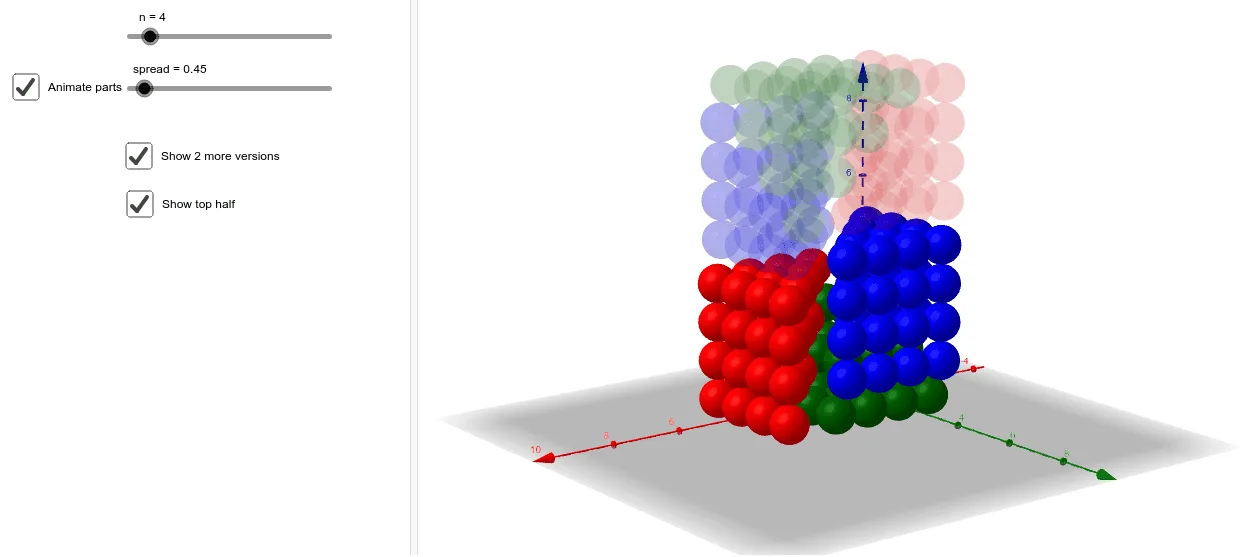
该范例演示了三维空间中整数平方和的概念。它涉及数列和解析几何的核心概念。通过使用GeoGebra命令如Join、Zip、Translate等,可以动态展示三维空间中的几何变换和轨迹。适合高中数学教学和学习。
GeoGebra 命令及参数
Join(Join[Sequence[Sequence[Sequence[(a, b, c), a, 1, n + 1 - c], b, 1, n + 1 - c], c, 1, n]]) → l1Zip(Sphere[A, 0.5], A, l1) → l2Translate(l2, Vector[(1, 1, 0), A]) → l2'OrthogonalLine(A, xOyPlane) → fRotate(l2', 90°, f) → l2''OrthogonalLine(B, xAxis, xOyPlane) → gRotate(l2'', 90°, g) → l2'''Translate(l2, Vector[(1, 1, 0), C]) → l2'_1OrthogonalLine(C, xOyPlane) → hRotate(l2'_1, (-(90°)), h) → l3OrthogonalLine(D, Plane[(0, 0, 0), (0, 1, 0), (0, 0, 1)]) → iRotate(l3, 90°, i) → l3'Translate(Line[(0, 0, n + 1), (1, 1, n + 1)], Vector[(0.5, 0, 0)]) → jMirror(l3', z = n + 1) → l3''Translate(Rotate[l2''', π, j], Vector[E]) → l4Line(((n + 2) / 2, (n + 1) / 2, 0), zAxis) → kRotate(l3'', π, k) → l5If(spread < 1, spread^(2) + 0.1, spread) → spRotate(Mirror[l2, z = n + 1], π, k) → l7Rotate(Mirror[l2''', z = n + 1], π, k) → l6
AI 绘图提示语参考
绘制一个三维空间中的平方和图形,首先创建一系列点,然后通过连接这些点形成线段,接着使用旋转和平移命令生成一系列球体和线段,最后通过镜像和旋转操作生成最终的图形。整个过程包括创建点、生成球体、线段和平移、旋转、镜像等操作。
以上提示语为根据原始绘图命令整理而来,仅供参考。