
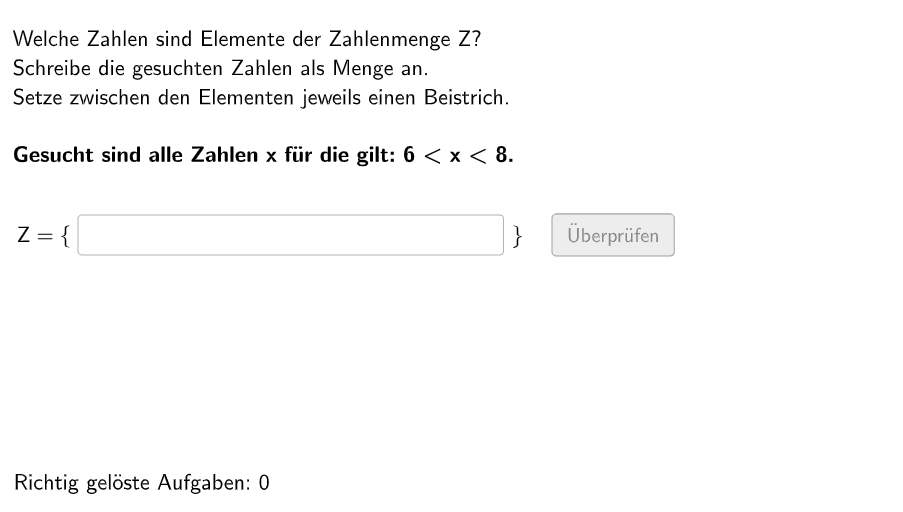
写出自然数集合
几何画板及绘图内容加载中,请稍等……
所属专题
Ⓔ Zahlenmengen
这个 GeoGebra 范例演示了如何写出自然数集合。它涉及的核心数学概念是集合论和自然数。作图要点包括使用 Shuffle、Element、If、Sequence、Textfield、Polygon、Segment、Circle 等 GeoGebra 命令和对象。这个范例适合初中或高中数学课堂使用,特别是用于展示集合和自然数的概念。
GeoGebra 命令及参数
Shuffle(Sequence[Random[1, 2], i, 1, 100]) → randomNosForBsp, {2, 2, 2, 2, 1, 2, 1, 1, 2, 2, 1, 2, 1, 1, 2, 2, 2, 1, 1, 1, 2, 1, 1, 1, 1, 1, 2, 2, 1, 1, 2, 2, 2, 2, 2, 2, 2, 2, 1, 2, 2, 2, 1, 1, 2, 1, 2, 1, 2, 2, 2, 1, 2, 1, 2, 1, 1, 2, 1, 2, 1, 2, 1, 2, 1, 1, 2, 2, 2, 2, 2, 1, 2, 1, 2, 2, 2, 2, 1, 1, 2, 2, 2, 1, 2, 1, 2, 1, 1, 1, 2, 1, 1, 2, 2, 2, 2, 1, 1, 1}Shuffle(Sequence[(2 * n), n, 1, 3]) → randomNosFor1U, {4, 2, 6}Shuffle(Sequence[(2 * n) + 1, n, 1, 3]) → randomNosFor1G, {5, 3, 7}Element(randomNosForBsp, Mod[questionCount, 100] + 1) → bspShuffle(Sequence[Random[1, 2], i, 1, 100]) → randomNosForWort, {2, 2, 2, 2, 1, 2, 2, 2, 2, 1, 1, 1, 1, 2, 2, 2, 2, 2, 2, 1, 2, 2, 1, 2, 2, 1, 1, 1, 1, 1, 1, 1, 2, 1, 2, 1, 1, 1, 1, 2, 2, 2, 1, 2, 1, 1, 1, 1, 1, 2, 2, 1, 2, 2, 2, 2, 2, 2, 1, 1, 2, 2, 1, 2, 2, 1, 1, 2, 1, 2, 1, 1, 1, 1, 2, 2, 2, 2, 1, 1, 1, 2, 2, 1, 2, 2, 2, 2, 1, 1, 1, 2, 1, 2, 2, 2, 1, 1, 1, 2}Element(randomNosForWort, Mod[questionCount, 100] + 1) → indexWortIf(indexWort ≟ 1, Element[randomNosFor1G, Mod[questionCount, 100]], Element[randomNosFor1U, Mod[questionCount, 100]]) → numBsp1If(indexWort ≟ 2, Sequence[(2 * n) + 1, n, 0, numBsp1 / 2 - 1], Sequence[(2 * n), n, 0, numBsp1 / 2]) → solBsp1If(indexWort ≟ 1, Shuffle[Sequence[(2 * n) + 1, n, 1, 3]], Shuffle[Sequence[(2 * n), n, 1, 3]]) → randomNosFor2KElement(randomNosFor2K, Mod[questionCount, 100]) → numBsp2_1If(indexWort ≟ 1, Shuffle[Sequence[(2 * n) + 1, n, 4, 6]], Shuffle[Sequence[(2 * n), n, 4, 6]]) → randomNosFor2GElement(randomNosFor2G, Mod[questionCount, 100]) → numBsp2_2Sequence(numBsp2_1 + 1, numBsp2_2 - 1, 1) → solBsp2_2If(indexWort ≟ 2, Sequence[(2 * n) + 1, n, round(numBsp2_1 / 2), round(numBsp2_2 / 2) - 1], Sequence[(2 * n), n, round(numBsp2_1 / 2), floor(numBsp2_2 / 2)]) → solBsp2Shuffle(Sequence[Random[1, 2], i, 1, 100]) → randomNosForBsp2, {1, 2, 2, 2, 1, 2, 2, 1, 2, 1, 2, 2, 2, 2, 1, 2, 1, 2, 2, 1, 2, 1, 2, 1, 2, 2, 1, 1, 1, 1, 1, 1, 1, 1, 2, 1, 1, 2, 1, 1, 1, 1, 2, 1, 1, 1, 2, 2, 2, 2, 2, 1, 2, 1, 2, 2, 2, 1, 2, 2, 1, 1, 2, 1, 2, 1, 2, 1, 1, 1, 2, 1, 2, 2, 2, 1, 1, 1, 1, 1, 1, 1, 2, 1, 2, 2, 2, 1, 2, 1, 1, 1, 2, 1, 1, 2, 2, 1, 2, 1}Element(randomNosForBsp2, Mod[questionCount, 100] + 1) → selectedBspIf(bsp ≟ 1, solBsp1, If[selectedBsp ≟ 1, solBsp2, solBsp2_2]) → chosenSolListTextfield(aInput) → InputBox1Textfield(bInput) → InputBox2Polygon(PtopLeftCornerFeedback, PtopRightCornerFeedback, PbottomRightCornerFeedback, PbottomLeftCornerFeedback) → rectangleCorrect, ptopleftcornerfeedback, ptoprightcornerfeedback, pbottomrightcornerfeedback, pbottomleftcornerfeedbackSegment((-4.5, 4.4), (5.07, 4.4)) → fSequence(Text["\textsf{" + (i) + "}", B + (0.08 + (0.8 * i), -0.7), true, true, -0, 0], i, 0, 12) → l1Sequence(Segment[((0.8 * i), 4.3), ((0.8 * i), 4.5)], i, -5.65, 6.6) → segsCircle(C, D) → cCircle(C_{1}, D_{1}) → c_{1}Circle(C_{2}, D_{2}) → c_{2}Circle(C_{3}, D_{3}) → c_{3}Circle(C_{4}, D_{4}) → c_{4}Circle(C_{5}, D_{5}) → c_{5}Circle(C_{6}, D_{6}) → c_{6}Circle(C_{7}, D_{7}) → c_{7}Circle(C_{8}, D_{8}) → c_{8}Circle(C_{9}, D_{9}) → c_{9}Circle(C_{10}, D_{10}) → c_{10}Circle(CLIPBOARDmagicSTRINGC_{7}, CLIPBOARDmagicSTRINGD_{7}) → CLIPBOARDmagicSTRINGc_{7}Circle(CLIPBOARDmagicSTRINGC_{1}, CLIPBOARDmagicSTRINGD_{1}) → CLIPBOARDmagicSTRINGc_{1}CountIf(x ≟ numBsp1, aInput) → grenzzahl1
AI 绘图提示语参考
绘制自然数集合的图形,包含100个随机数,用不同颜色表示偶数和奇数。首先,随机生成100个1或2的序列,然后根据序列中的数是1还是2,生成奇数或偶数序列。接着,根据序列中的数生成相应的点,用点表示自然数。然后,用点绘制矩形,表示数的范围。最后,用线段和圆圈表示数的集合关系,奇数和偶数分别用不同的颜色表示。
以上提示语为根据原始绘图命令整理而来,仅供参考。