
二次隐函数轨迹
几何画板及绘图内容加载中,请稍等……
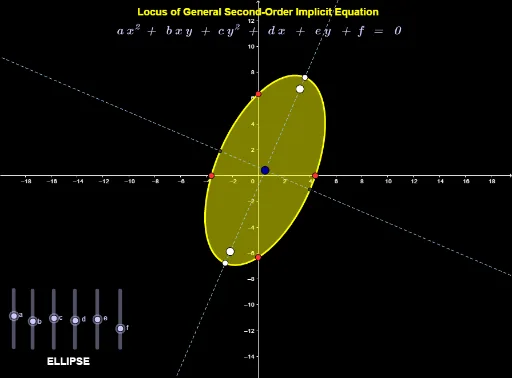
本范例演示二次隐函数的轨迹。涉及的核心数学概念包括二次函数、轨迹、中心、焦点等。通过使用GeoGebra命令如FirstAxisLength、SecondAxisLength、Focus、Center等,可以构造出二次隐函数的轨迹。适合高中数学教学和学习。
GeoGebra 命令及参数
FirstAxisLength(conic) → AxisLength_1SecondAxisLength(conic) → AxisLength_2Focus(conic) → Focus_2, Focus_1Center(conic) → CenterAsymptote(conic) → Asymptote_1, Asymptote_2Axes(conic) → Axis_1, Axis_2Determinant(Q) → DetQDeterminant(Φ) → DetΦIf(Determinant[Q] > 0 ∧ Determinant[Φ] ≠ 0, Text["ELLIPSE"]) → text3If(Determinant[Q] ≟ 0 ∧ Determinant[Φ] ≠ 0, Text["PARABOLA"]) → text4If(Determinant[Φ] ≟ 0, If[Determinant[Q] < 0, Text["INTERSECTING LINES"]]) → text6If(Determinant[Φ] ≠ 0, If[Determinant[Q] < 0, Text["HYPERBOLA"]]) → text1Vertex(conic) → Vertex_1, Vertex_2, Vertex_3, Vertex_4If(Determinant[Q] ≟ 0 ∧ Determinant[Φ] ≟ 0, Text["PARALLEL LINES"]) → text7Intersect(conic, Line[(0, 0), (-5, 0)]) → Root_1, Root_2Intersect(conic, Line[(0, 0), (0, 5)]) → Yintercept_1, Yintercept_2