
矩形圆角化
几何画板及绘图内容加载中,请稍等……
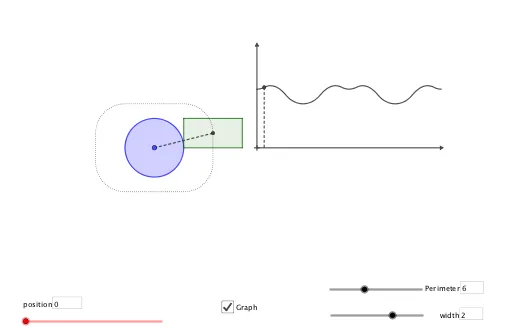
这个范例演示了如何通过几何变换和向量操作将矩形转化为圆角矩形。核心数学概念包括向量、几何变换和轨迹。使用了Vector, Circle, OrthogonalLine, Intersect, Midpoint, Angle, Segment, Polygon, Rotate, Textfield, Locus等GeoGebra命令。适合初中及以上学生学习几何变换和轨迹概念。
GeoGebra 命令及参数
Vector((0, 0), (w, 0)) → uVector((0, 0), (0, l)) → vCircle(B, l) → eCircle(B, w) → dOrthogonalLine(B, xAxis) → gIntersect(e, g, 2) → DOrthogonalLine(B, yAxis) → fIntersect(d, f, 1) → CMidpoint(D, C) → FAngle(G, A, F) → αSegment(A, F) → jCircle(A, r) → cCircle(C, l) → hOrthogonalLine(C, f) → iIntersect(h, i, 1) → EPolygon(B, D, E, C) → q1, b, d_1, e_1, c_1Polygon(L_1) → q2Rotate(G, angle(t)) → G'Textfield(P) → InputBox1Textfield(w) → InputBox2OrthogonalLine(TraceL, xAxis) → kIntersect(k, xAxis) → JSegment(TraceL, J) → mLocus(TraceL, t) → loc1Locus(F, t) → loc2OrthogonalLine(K, xAxis) → nOrthogonalLine(K, yAxis) → sSegment(K, N) → aSegment(K, L) → f_1Textfield(t) → InputBox3