
乘积与商法则求导练习
几何画板及绘图内容加载中,请稍等……
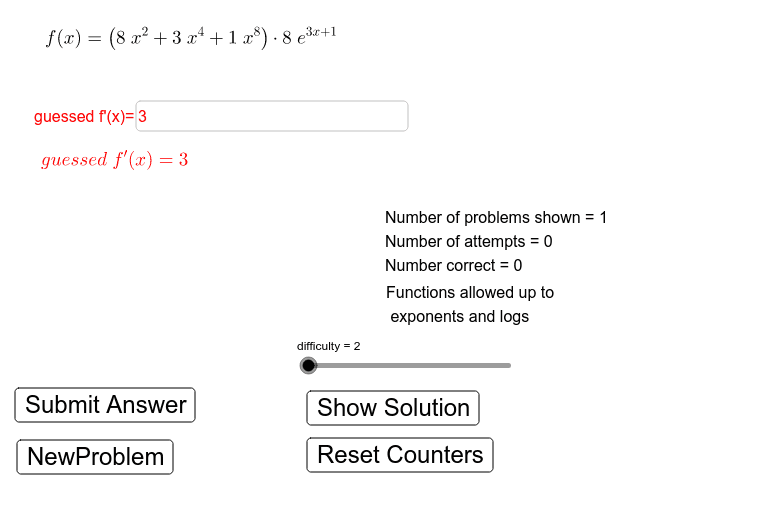
①本范例演示如何使用乘积与商法则对函数进行求导,并可视化导数过程;②涉及核心数学概念包括导数计算、乘积法则、商法则及函数图像变化;③构造过程中运用了RandomElement, Random, Shuffle, Element, Simplify, If, Textfield等GeoGebra命令与对象,如函数生成、随机选择、条件判断等;④适合高中及以上数学学习者,用于强化导数运算技巧与理解函数性质。
GeoGebra 命令及参数
RandomElement({true, false}) → productQuotientRandom(1, 4) → Function2ChoiceRandom(1, 4) → Function1ChoiceShuffle({2, 3, 4, 5, 6, 7, 8, 9}) → exponentListElement(exponentList, 2) → n2Element(exponentList, 1) → n1Element(exponentList, 3) → n3Shuffle({1, 2, 3, 4, 5, 6, 7, 8, 9}) → scalerListElement(scalerList, 2) → m2Element(scalerList, 1) → m1Element(scalerList, 3) → m3Simplify((m1 * exp(x)) + (m2 * n2^(x)) + (m3 * log(x))) → exponential4Simplify((m2 * x) + m3) → LinearFunctionSimplify((m1 * cos(LinearFunction(x)))) → trig2Simplify((m1 * tan(LinearFunction(x)))) → trig4Simplify((m1 * sqrt(LinearFunction(x)))) → algebraic3Simplify((m1 * ℯ^(LinearFunction(x)))) → exponential1Simplify((m1 * sin(LinearFunction(x)))) → trig1Shuffle(Sequence[difficulty]) → typeListElement(typeList, 2) → Function2Choice2Element(FullFunctionList, Function2Choice2, Function2Choice) → SecondFunctionElement(typeList, 1) → Function1Choice2Element(FullFunctionList, Function1Choice2, Function1Choice) → FirstFunctionIf(productQuotient, ProductFunction, QuotientFunction) → OriginalFunctionTextfield(GuessedDerivative) → guessedDerivativeBoxRandom(2, 9) → nElement(exponentList, 4) → n4Element(exponentList, 5) → n5Element(scalerList, 4) → m4
AI 绘图提示语参考
绘制一个用于练习乘积法则和商法则的导数计算练习图。图中包含两个随机生成的函数,一个作为被乘或被除的函数,另一个作为乘数或除数,两者组合成一个复合函数。界面中有一个输入框,用于输入猜测的导数表达式。图形区域显示原始函数的曲线,以及根据用户输入动态更新的导数曲线,并标注关键点。整体布局清晰,适合教学演示,强调函数变化与导数计算过程。
以上提示语为根据原始绘图命令整理而来,仅供参考。