
矩阵的PLU分解
几何画板及绘图内容加载中,请稍等……
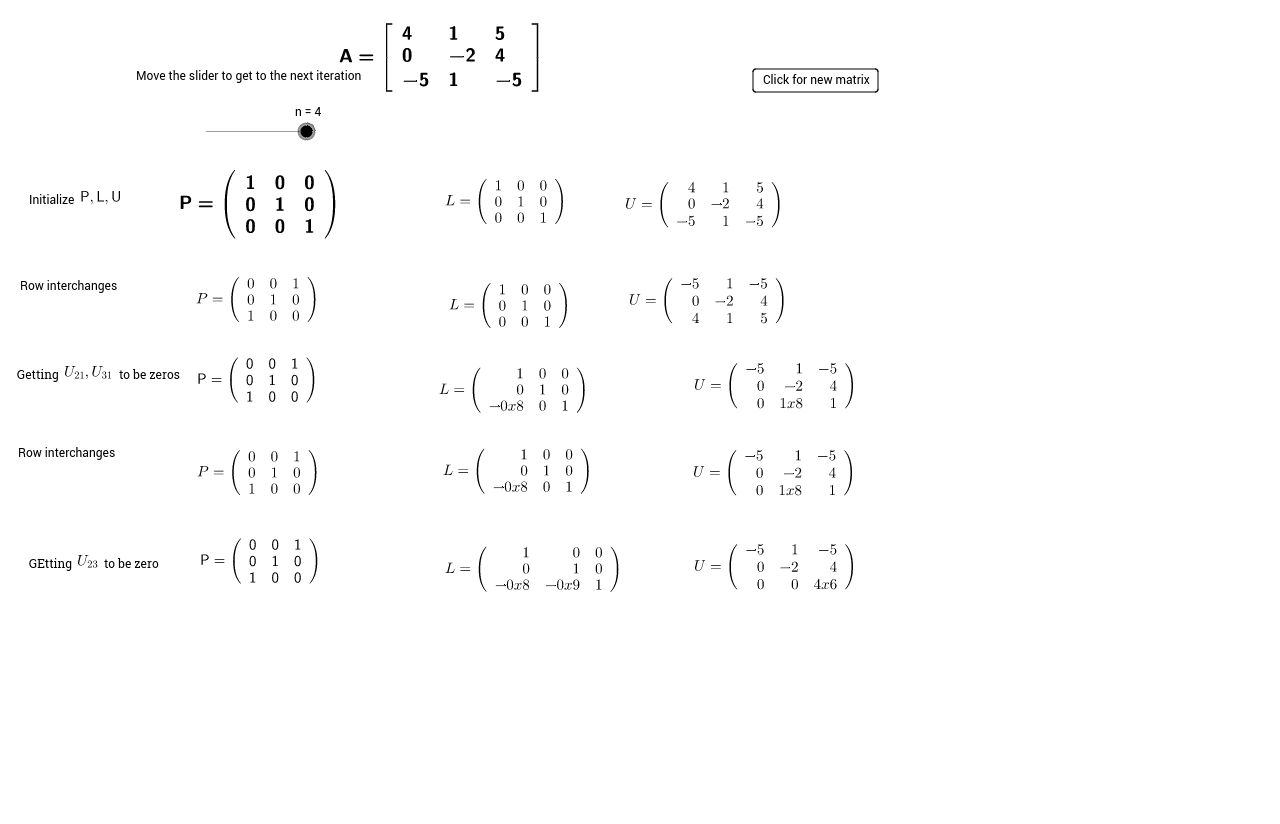
本示例演示如何通过矩阵变换得到矩阵A的PLU分解,其中P是置换矩阵,L是下三角矩阵,U是上三角矩阵。通过GeoGebra命令如Random, Transpose等,动态展示了矩阵变换的过程。适合高中及以上学生学习矩阵理论。
GeoGebra 命令及参数
Random(-5, 5) → A6Random(-5, 5) → B6Random(-5, 5) → C6Random(-5, 5) → A7Random(-5, 5) → B7Random(-5, 5) → C7Random(-5, 5) → A8Random(-5, 5) → B8Random(-5, 5) → C8Transpose({Sequence[abs(Element[A, i, 1]), i, 1, 3]}) → list2Reverse(Sort[Sequence[(Element[list2, i, 1], i), i, 1, 3]]) → cIf(abs(Element[U_0, 1, 1]) ≟ Element[x(c), 1], {1, 2, 3}, list7) → list8Sequence(Element[A, Element[list8, i]], i, 1, 3) → U_1Sequence(abs(Element[U_2, i, 2]), i, 2, 3) → list13Max(list13) → gSequence(Element[list2, i, 1], i, 1, 3) → list10Max(list10) → eIndexOf(e, list10) → fSequence(If[i ≟ f, 1, i], i, 2, 3) → list11Append(f, list11) → list12Transpose({Sequence[abs(Element[U_2, i, 2]), i, 2, 3]}) → list3Reverse(Sort[Sequence[(Element[list3, i, 1], i + 1), i, 1, 2]]) → list4Append(1, y(list4)) → list5If(abs(Element[U_2, 2, 2]) ≟ Element[x(list4), 1], {1, 2, 3}, list5) → list9Random(-5, 5) → C8_1Random(-5, 5) → B8_1Random(-5, 5) → A8_1Random(-5, 5) → C7_1Random(-5, 5) → B7_1Random(-5, 5) → A7_1Random(-5, 5) → C6_1Random(-5, 5) → B6_1Random(-5, 5) → A6_1Random(-5, 5) → C8_2Random(-5, 5) → B8_2Random(-5, 5) → A8_2Random(-5, 5) → C7_2Random(-5, 5) → B7_2Random(-5, 5) → A7_2Random(-5, 5) → C6_2Random(-5, 5) → B6_2Random(-5, 5) → A6_2Determinant(P_0) → D_1Sequence(Element[P_0, Element[list12, i]], i, 1, 3) → P_1Transpose({Sequence[abs(Element[U_1, i, 1]), i, 1, 3]}) → matrix1Sequence(Element[I, Element[list5, i], 1], i, 1, 2) → list6Sequence(Element[P_1, Element[list5, i]], i, 1, 3) → P_2Sequence(Element[I, Element[list14, i]], i, 1, 3) → PtempElement(list1, 1) → aElement(U_0, 1, 1) → bElement(c, 1) → BElement(x(c), 1) → d
AI 绘图提示语参考
绘制一个3x3矩阵A,并进行PLU分解,生成矩阵P、L和U。首先随机生成矩阵A的元素,然后计算P矩阵,接着计算L和U矩阵,最后展示分解过程。
以上提示语为根据原始绘图命令整理而来,仅供参考。