
二次函数演示 by sridharkrn
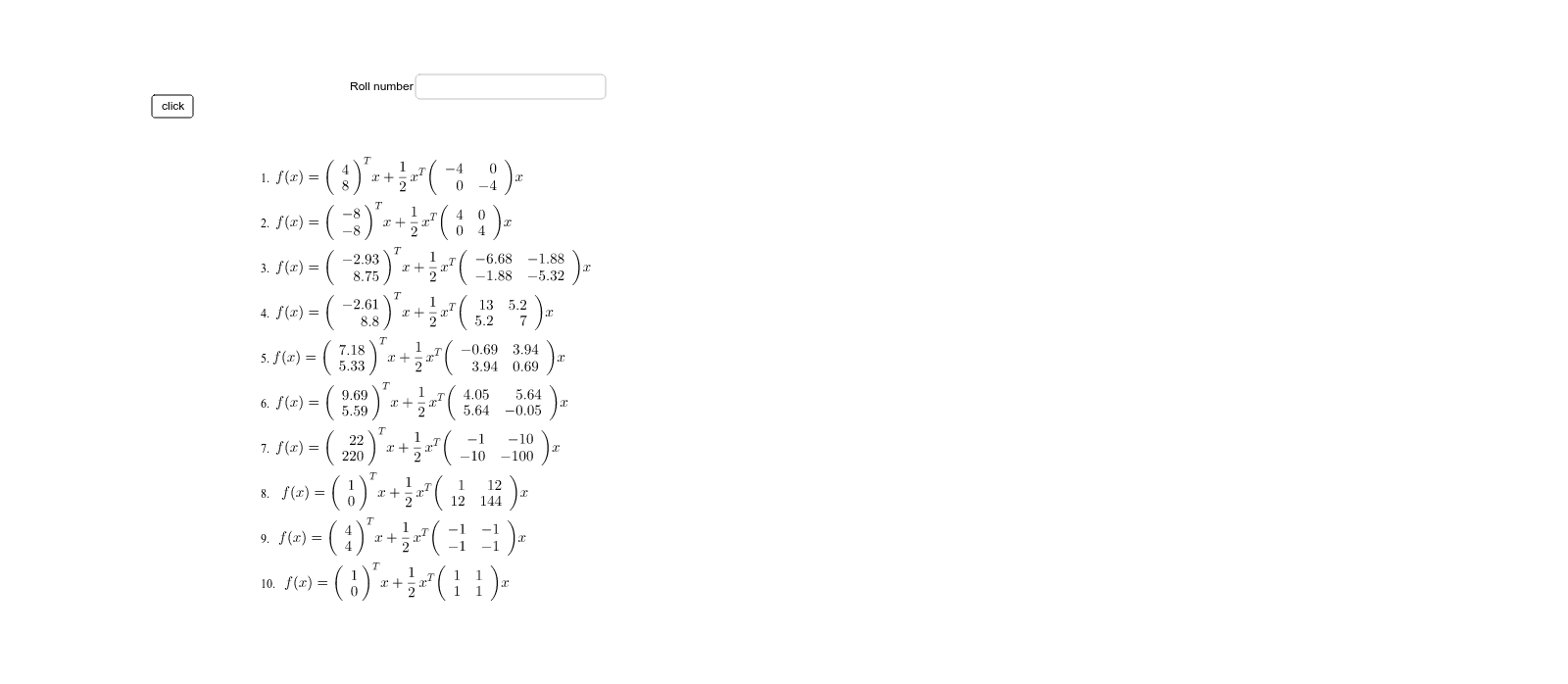
几何画板及绘图内容加载中,请稍等……
①本范例演示二次函数的图像及其性质;②涉及核心数学概念包括二次函数、上和下和(黎曼和)、三角函数、分段函数、线性函数和微积分;③作图要点:使用了Random, Point, Vector, Rotate, Sequence, Element, Textfield等GeoGebra命令和对象;④适合高中阶段学生学习函数图像、微积分初步及几何变换。
GeoGebra 命令及参数
Random(1, 3) → D1Random(1, 3) → D2Random(1, 3) → D3Random(1, 3) → D4Random(1, 3) → D5Random(1, 3) → D6Random(0, 6) → C1Random(0, 6) → C2Random(0, 6) → C3Random(0, 6) → C4Random(0, 6) → C5Random(0, 6) → C6Point(xAxis) → APoint(yAxis) → BVector(A) → uVector(B) → vRotate(u, Element[theta, 1]) → u'Rotate(v, Element[theta, 1]) → v'Sequence(Vector[Rotate[u, Element[theta, n]]], n, 1, 6) → vectors1Sequence(Vector[Rotate[v, Element[theta, n]]], n, 1, 6) → vectors2Sequence({{x(Element[vectors1, n])}, {y(Element[vectors1, n])}}, n, 1, 6) → em1Sequence({{x(Element[vectors2, n])}, {y(Element[vectors2, n])}}, n, 1, 6) → em2Sequence(Element[eig1, n] * Element[aspectratio, n] * Element[em1, n] * Transpose[Element[em1, n]], n, 1, 6) → comp1Sequence(Element[eig2, n] * Element[em2, n] * Transpose[Element[em2, n]], n, 1, 6) → comp2Sequence(Element[comp1, n] + Element[comp2, n], n, 1, 6) → hessiansElement(hessians, 1) → matrix1Element(hessians, 2) → matrix2Element(hessians, 3) → matrix3Element(hessians, 4) → matrix4Element(hessians, 5) → matrix5Element(hessians, 6) → matrix6Textfield() → inputBox1Random(1, 5) → C8Random(1, 5) → C9Random(1, 5) → C10Random(1, 5) → C11
AI 绘图提示语参考
绘制一个展示二次函数及其性质的图形,包含随机生成的点和向量,通过旋转和序列构造多个向量,并计算它们的组合,最终形成多个矩阵,同时展示线性函数和三角函数的图像,适合高中学生学习函数图像、微积分初步和几何变换。
以上提示语为根据原始绘图命令整理而来,仅供参考。