
等边三角形的对数螺线
几何画板及绘图内容加载中,请稍等……
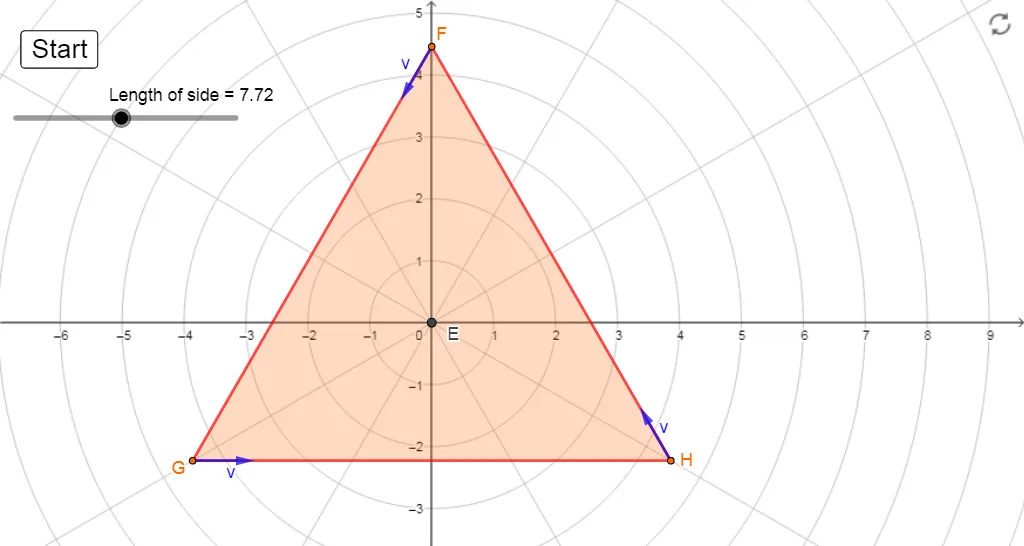
本范例展示了等边三角形上的对数螺线。它涉及对数函数和解析几何的核心概念。通过使用GeoGebra命令如Intersect、Rotate、Length等,可以构造出对数螺线。适合高中数学教学,特别是解析几何和函数部分。
GeoGebra 命令及参数
Intersect(xAxis, yAxis) → ACircle(A, sideLength / sqrt(3)) → cIntersect(c, yAxis, 2) → BCircle(B, sideLength) → dIntersect(d, c) → C, D, ,Segment(B, D) → fSegment(D, C) → gSegment(C, B) → hPolygon(B, D, C) → t1, c_1, b, d_1Rotate(B, 30°, A) → B'Rotate(D, 30°, A) → D'Rotate(C, 30°, A) → C'Polygon(B', D', C') → triangle, c', b', d'Intersect(xAxis, yAxis) → ELength(Segment[B', C']) → aCurveCartesian(((a / sqrt(3) * ℯ^(((-sqrt(3)) * θ))); θ), θ, 0, (2 * 3.141592653589793)) → curve1OrthogonalLine(E, d') → jMirror(curve1, j) → i'LineBisector(b') → kLineBisector(c') → lMirror(i', l) → curve3Mirror(i', k) → curve2Rotate(curve1, (-(30°)), E) → curve1'Rotate(curve3, (-(30°)), E) → curve3'Rotate(curve2, (-(30°)), E) → curve2'Point(curve2') → FPoint(curve3') → GPoint(curve1') → HPolygon(F, G, H) → t2, h_1, f_1, g_1Circle(G, 1) → pTangent(G, curve3') → iIntersect(p, i) → I, JVector(G, J) → uTangent(H, curve1') → mCircle(H, 1) → qIntersect(q, m, 2) → KVector(H, K) → vTangent(F, curve2') → nCircle(F, 1) → rIntersect(r, n, 2) → LVector(F, L) → w
AI 绘图提示语参考
绘制一个等边三角形,并在其上构造一个对数螺旋。首先,创建一个等边三角形,然后围绕三角形的中心旋转三角形的顶点,形成一个新的三角形。接着,在新三角形的边之间构造对数螺旋,通过旋转和镜像操作生成多个对数螺旋,最终形成一个复杂的对数螺旋图案。
以上提示语为根据原始绘图命令整理而来,仅供参考。