
整数加减法的图形化演示
几何画板及绘图内容加载中,请稍等……
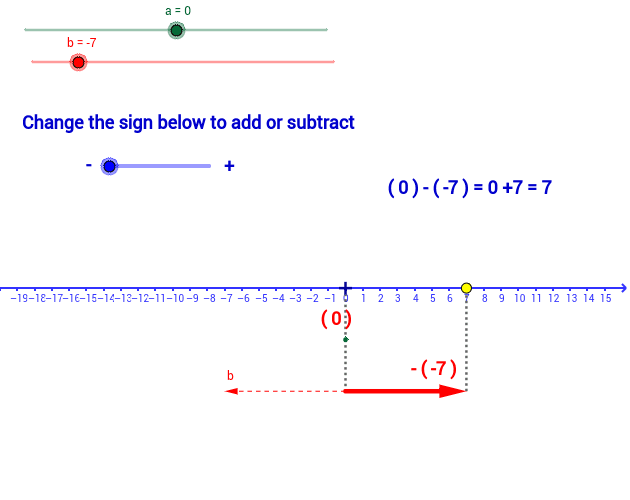
① 本范例演示如何在数轴上用向量和线段直观展示整数的加法与减法过程。② 涉及核心数学概念:整数、算术运算、数轴表示、向量加法与减法。③ 作图要点:使用 GeoGebra 的 Line、Vector、OrthogonalLine、Intersect、Segment、Mirror、Midpoint、If 等命令,配合 signo、b、b2、A、a、B、C、d、D、u、E、v、e、F、f、g、h、E'、w、texto1、G、H、i、TextoSigno、TextoSignoa、texto3、TextoSignob、texto2、texto4、texto5、texto6、c、TextoSignob2、texto7 等对象构建动态数轴与向量。④ 适合小学高年级至初中数学课堂,也可用于自学或教学演示,帮助学生建立整数运算的空间直观。
GeoGebra 命令及参数
Line(C, xAxis) → dVector(B, D) → uVector(C, E) → vOrthogonalLine(E, xAxis) → eIntersect(e, xAxis) → FSegment(E, F) → fSegment(D, C) → gSegment(A, B) → hMirror(E, C) → E'Vector(C, E') → wMidpoint(E, C) → GMidpoint(D, B) → HIf(signo < 0, "-", "+") → TextoSignoIf(a > 0, "+", " ") → TextoSignoaIf(b > 0, "+", " ") → TextoSignobIf(b2 ≥ 0, "+", " ") → TextoSignob2