
组合变换演示
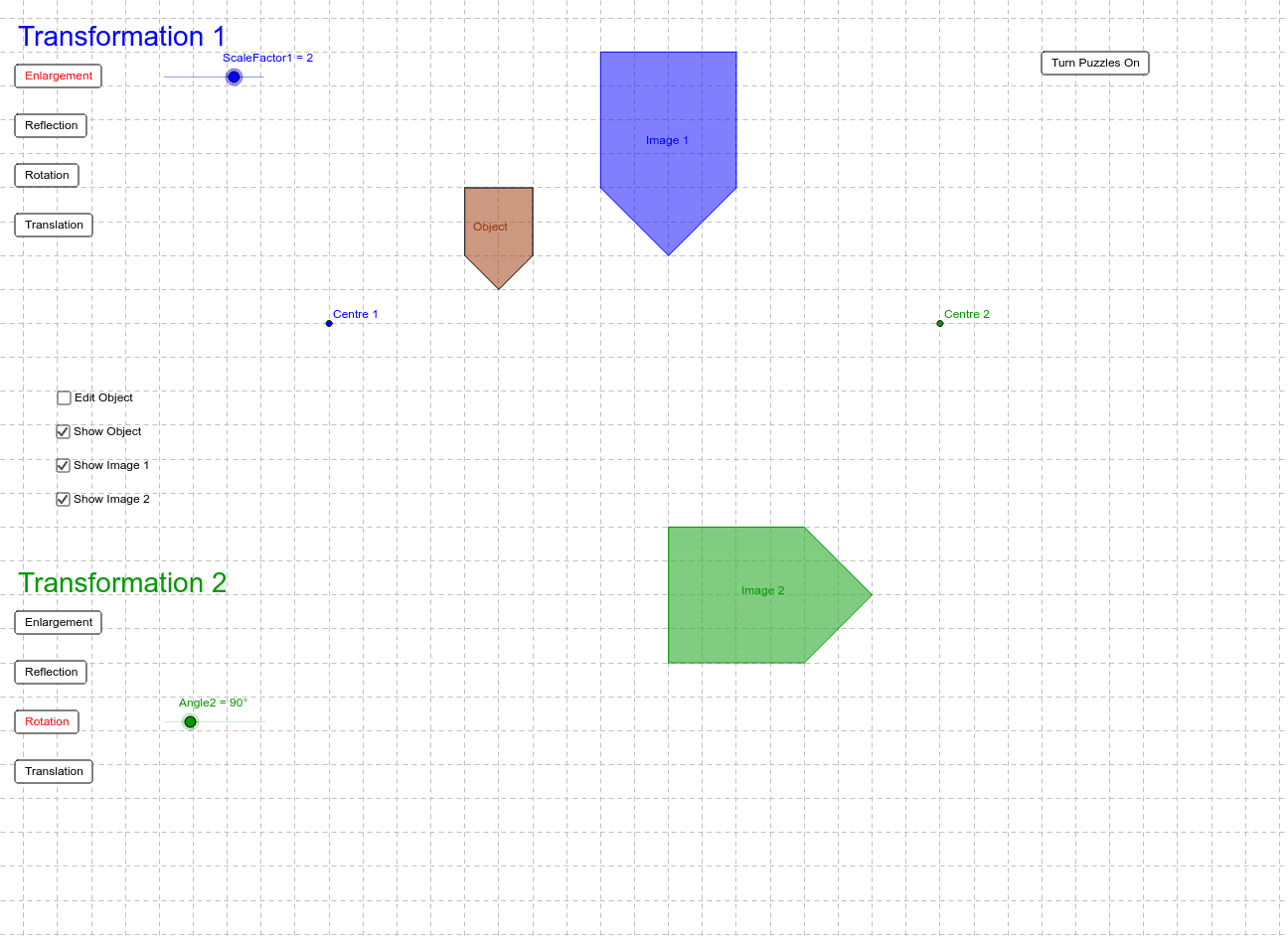
几何画板及绘图内容加载中,请稍等……
①本范例通过 GeoGebra 展示一系列连续的几何变换,如反射、旋转和平移;②涉及的核心数学概念包括变换、向量、多边形、坐标几何;③作图要点:使用 Line, Vector, If, Polygon 命令,以及 N, M, g, J, ScaleFactor2, tr2ro, tr2re, tr2en, I, H, u, G, F, f, ScaleFactor1, A, O, tr1re, tr1en, tr1ro, Angle1, A', Angle2, L, K, v, tr1tr, button1, button2, button3, button4, B, C, D, E, poly1, a, b, c, d 等对象;④适合初中及以上学生学习和理解几何变换的性质与组合效果。
GeoGebra 命令及参数
Line(M, N) → gVector(H, I) → uLine(F, G) → fIf(tr1en ≟ 1, Dilate[A, ScaleFactor1, O], If[tr1re ≟ 1, Mirror[A, f], If[tr1ro ≟ 1, Rotate[A, Angle1, O], Translate[A, u]]]) → A'Vector(K, L) → vPolygon(A, B, C, D, E) → poly1, a, b, c, d, eIf(tr1en ≟ 1, Dilate[B, ScaleFactor1, O], If[tr1re ≟ 1, Mirror[B, f], If[tr1ro ≟ 1, Rotate[B, Angle1, O], Translate[B, u]]]) → B'If(tr1en ≟ 1, Dilate[C, ScaleFactor1, O], If[tr1re ≟ 1, Mirror[C, f], If[tr1ro ≟ 1, Rotate[C, Angle1, O], Translate[C, u]]]) → C'If(tr1en ≟ 1, Dilate[D, ScaleFactor1, O], If[tr1re ≟ 1, Mirror[D, f], If[tr1ro ≟ 1, Rotate[D, Angle1, O], Translate[D, u]]]) → D'If(tr1en ≟ 1, Dilate[E, ScaleFactor1, O], If[tr1re ≟ 1, Mirror[E, f], If[tr1ro ≟ 1, Rotate[E, Angle1, O], Translate[E, u]]]) → E'Polygon(A', B', C', D', E') → poly1', a', b', c', d', e'If(tr2en ≟ 1, Dilate[B', ScaleFactor2, J], If[tr2re ≟ 1, Mirror[B', g], If[tr2ro ≟ 1, Rotate[B', Angle2, J], Translate[B', v]]]) → B''If(tr2en ≟ 1, Dilate[C', ScaleFactor2, J], If[tr2re ≟ 1, Mirror[C', g], If[tr2ro ≟ 1, Rotate[C', Angle2, J], Translate[C', v]]]) → C''If(tr2en ≟ 1, Dilate[D', ScaleFactor2, J], If[tr2re ≟ 1, Mirror[D', g], If[tr2ro ≟ 1, Rotate[D', Angle2, J], Translate[D', v]]]) → D''If(tr2en ≟ 1, Dilate[E', ScaleFactor2, J], If[tr2re ≟ 1, Mirror[E', g], If[tr2ro ≟ 1, Rotate[E', Angle2, J], Translate[E', v]]]) → E''If(tr2en ≟ 1, Dilate[A', ScaleFactor2, J], If[tr2re ≟ 1, Mirror[A', g], If[tr2ro ≟ 1, Rotate[A', Angle2, J], Translate[A', v]]]) → A''Polygon(A'', B'', C'', D'', E'') → poly1'', a'', b'', c'', d'', e''Polygon(P, Q, R, S, T) → poly2, p, q, r, s, t
AI 绘图提示语参考
画一个由多个顶点构成的五边形,依次对其进行反射、旋转和平移变换,展示变换过程和结果。每个变换后生成新的五边形,并标注变换类型和参数。最后将所有变换后的五边形组合在一起,形成一系列嵌套的五边形,清晰展示变换的叠加效果。
以上提示语为根据原始绘图命令整理而来,仅供参考。