
Yatko Interesting Properties 3
Loading the math board and drawing, please wait…
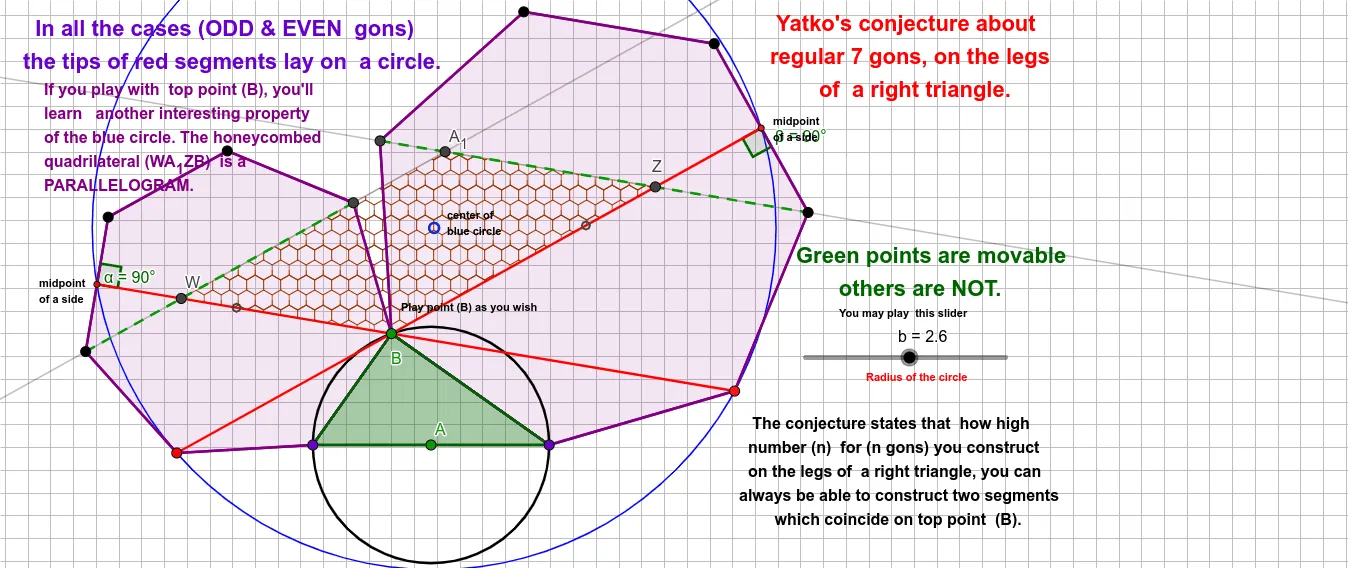
This example demonstrates interesting properties of quadrilaterals. Key mathematical concepts include geometric transformations, triangle properties, and probability. Using GeoGebra commands such as Circle, Point, Segment, and Polygon, dynamic exploration of quadrilateral properties is possible. Suitable for high school mathematics education and learning.
GeoGebra Commands & Parameters
Circle(A, b) → cPoint(c) → BPoint(c) → CPoint(c) → DSegment(C, D) → fSegment(B, C) → gSegment(B, D) → hPolygon(C, B, a) → poly1, i, m_1, E, F, G, H, I, J, Q, R, j, k, l, m, n, p, q, l_1Polygon(B, D, a) → poly2, r, p_1, K, L, M, N, O, P, S, T, s, t, d, e, f_1, g_1, h_1, n_1Segment(J, M) → k_1Segment(R, N) → q_1Midpoint(M, L) → VPolygon(C, B, D) → t1, d_1, c_1, b_1PointIn(t1) → Pointt1Segment(I, V) → s_1Midpoint(G, H) → C_1Segment(K, C_1) → g_2Centroid(poly1) → F_1Centroid(poly2) → G_1PointIn(poly1) → Pointpoly1_{1}PointIn(poly2) → Pointpoly2_{1}PointIn(poly1) → Pointpoly1PointIn(poly2) → Pointpoly2Angle(B, C_1, G) → αAngle(B, V, L) → βCircle(C_1, I, K) → r_1Center(r_1) → ULine(L, O) → i_1Intersect(i_1, s_1) → ZLine(H, E) → j_1Intersect(j_1, g_2) → WIntersect(i_1, j_1) → A_1Polygon(W, A_1, Z, B) → q1, w, a_1, z_1, b_2Segment(O, L) → t_1Segment(H, E) → e_1
AI Drawing Prompt Reference
Draw a quadrilateral and demonstrate its interesting geometric properties. Start by creating a circle and marking four points on it to form the quadrilateral. Construct two triangles using two pairs of opposite sides, then find the centroids of these triangles. Draw lines connecting the centroids to the vertices of the quadrilateral and identify their intersections. Finally, connect these intersection points with parts of the quadrilateral's edges to form a new quadrilateral, labeling key angles and arcs to illustrate geometric transformations and probability concepts.
The prompt above was compiled from the original drawing commands and is for reference only.