
Writing the Equation of a Line Given a Slope & Point (V1)
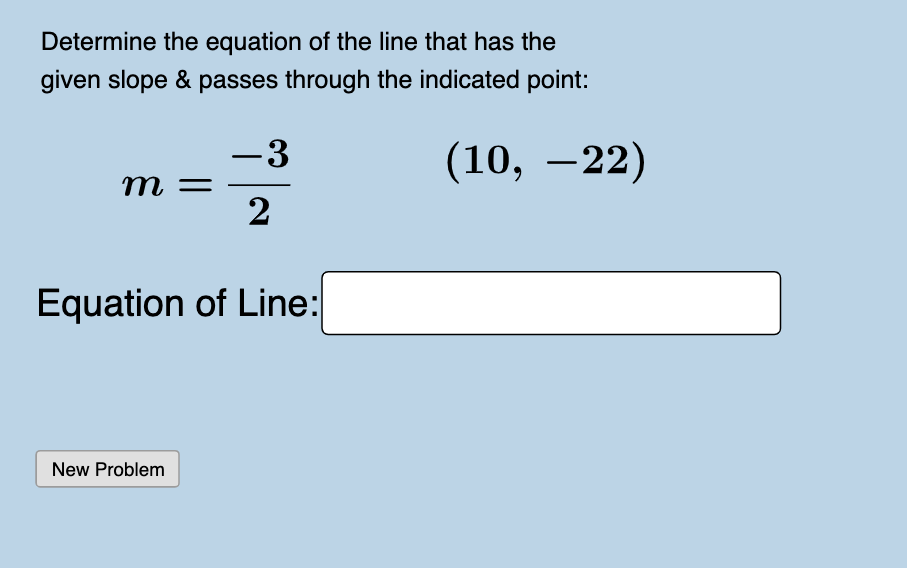
Loading the math board and drawing, please wait…
In collections
A1.ACE.1 - Create and solve equations and inequalities
Year 10 Mathematics
Writing Linear Equations
This GeoGebra example demonstrates how to write the equation of a line when given its slope and a point on the line, with the y-intercept guaranteed to be an integer. The core mathematical concept is the slope-intercept form of a linear function, y = mx + b, and the conversion from point-slope form to slope-intercept form. The construction uses GeoGebra commands such as Random and RandomElement to generate a random slope and point coordinates, Line to create the line, FractionText to display the slope as a fraction, and Textfield input boxes for students to enter their equation. It is designed for middle or high school students practicing linear equations, and can be used for interactive self-study or classroom demonstration.
GeoGebra Commands & Parameters
Random(-20, 20) → bRandomElement(klist) → krandRandomElement(xmovelist) → randxRandomElement(ymovelist) → randyLine(A, B) → fFractionText(Slope[f]) → text1Textfield(g) → InputBox1
AI Drawing Prompt Reference
Draw a straight line on a coordinate plane with a randomly chosen integer slope between -20 and 20, passing through a randomly generated point. Display the slope as a fraction near the line. Include an input box where users can type the equation of the line. Ensure the line's y-intercept is an integer. The visual should clearly show the line, the slope label, and the input box for practicing writing linear equations from a given slope and point.
The prompt above was compiled from the original drawing commands and is for reference only.