
Writing Ordered Triples
Loading the math board and drawing, please wait…
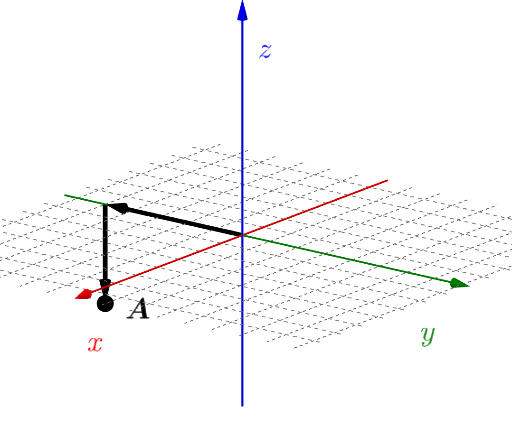
This example demonstrates how to write ordered triples. Key mathematical concepts include point representation in coordinate systems and vectors. Using GeoGebra commands such as Intersect, Vector, If, and Textfield, the construction process of ordered triples is dynamically shown. Suitable for students at the junior high school level and above to learn basic concepts of coordinate geometry and vectors.
GeoGebra Commands & Parameters
Intersect(yAxis, zAxis) → CVector(C, D) → uVector(D, E) → vIf(c2, "y coordinate is correct.", "y coordinate is not correct.") → text3If(c1, "x coordinate is correct.", "x coordinate is not correct.") → text2If(c3, "z coordinate is correct.", "z coordinate is not correct.") → text4Textfield(F) → InputBox1Vector(E, A) → w
AI Drawing Prompt Reference
Demonstrate how to write ordered triples in a 3D coordinate system by marking the intersection point of coordinate axes, drawing two vectors from the point representing x and y coordinates, and dynamically showing the correctness of input coordinates for x, y, and z. Finally, draw a vector from the end of the second vector pointing back to the origin to illustrate the formation of ordered triples.
The prompt above was compiled from the original drawing commands and is for reference only.