
Writing Equivalent Forms of Expressions with Exponents
Loading the math board and drawing, please wait…
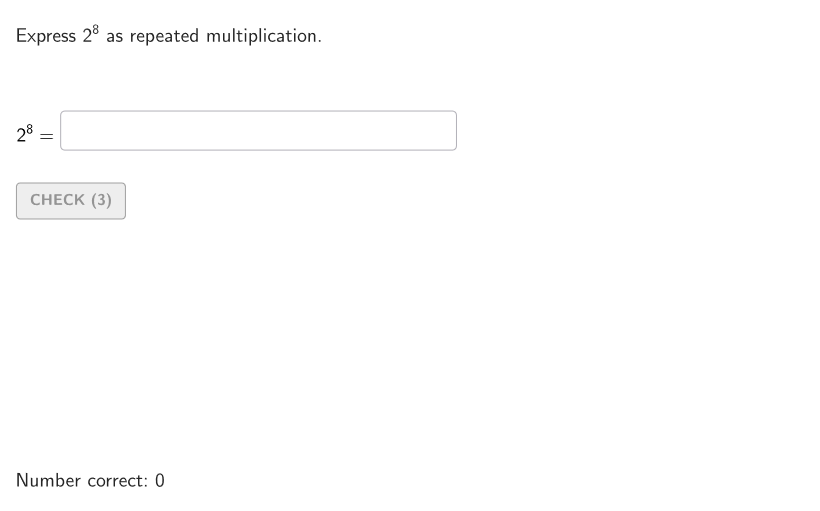
This example demonstrates how to write equivalent mathematical expressions using exponents. Key math concepts include exponent operations and repeated multiplication. Construction highlights involve GeoGebra commands and objects like Shuffle, Element, TextToUnicode, Textfield, Polygon, Corner, CountIf. Suitable for 6-8 grade students learning exponential notation and simplification.
GeoGebra Commands & Parameters
Shuffle(2…9) → allExpon, {8, 7, 6, 9, 4, 5, 3, 2}Element(allExpon, Mod[countQuestion, Length[allExpon]] + 1) → valExponShuffle(2…9) → allBase, {2, 5, 8, 7, 3, 4, 6, 9}Element(allBase, Mod[countQuestion, Length[allBase]] + 1) → valBaseTextToUnicode(("" * valBase)) → uniBaseTextfield(input1) → InputBox1Polygon(Zip[PixelsToPoint[Corner[1], Corner[3], Corner[5], A], A, {(pixelsLeft, pixelsTop), (pixelsLeft, y(Corner[5]) - pixelsBottom), Corner[5] - (pixelsRight, pixelsBottom), (x(Corner[5]) - pixelsRight, pixelsTop)}]) → borderBoxCorner(5) → layoutAppSizeCountIf(x ≟ 120, userUni) → xCount
AI Drawing Prompt Reference
Design an interactive mathematical learning interface featuring a polygon-shaped display area that presents random exponential problems, such as showing a base number and exponent and asking for the result of raising the base to that power. Include a text input field below the question for students to enter their numerical answer. The interface should have a clean educational design with a visible boundary frame around the content area, suitable for middle school students in grades 6-8 learning about exponent operations and simplification, including a question display zone, an input area, and a surrounding border creating a complete learning module.
The prompt above was compiled from the original drawing commands and is for reference only.