
Write the Equation of a Line
Loading the math board and drawing, please wait…
In collections
Linear Equations Activities
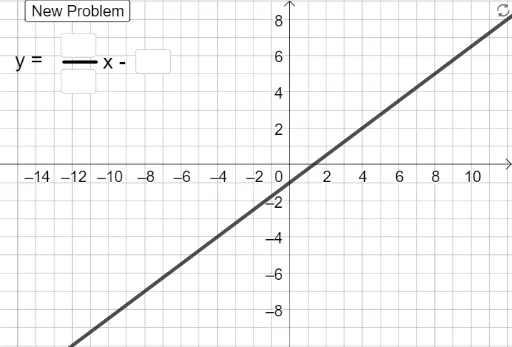
This example demonstrates how to write the equation of a line based on given conditions. Key mathematical concepts include linear equations, slope, and y-intercept. Using GeoGebra commands such as FromBase, Random, and RandomElement, dynamic generation of different conditions for the line equation is achieved. Suitable for students in middle school and above to learn about linear equations.
GeoGebra Commands & Parameters
FromBase(d_1, 10) → d_2FromBase(n_1, 10) → n_2Random(-6, 6) → bRandomElement({1 / 2, 2 / 3, 3 / 4, 3 / 5, -1 / 2, -2 / 3, -3 / 4, -3 / 5}) → aIf(b > -1, "x +", "x -") → If(a > -1, "+", "-")Textfield(n_1) → InputBox1FromBase(b_1, 10) → b_2Textfield(d_1) → InputBox2If(a ≥ 0, "y = ", "y = -") → t_1Textfield(b_1) → InputBox3If(a ≥ 0 ∧ n_2 / d_2 ≠ a, "Check your slope", "") → Sol_1If(b ≥ 0 ∧ b_2 ≠ b, "Check your y-intercept", "") → Sol_3If(b ≥ 0, (((-n_2)) / d_2 * x) + b_2, (((-n_2)) / d_2 * x) - b_2) → g_1If(b ≥ 0, (a_2 * x) + b_2, (a_2 * x) - b_2) → gIf(b < 0 ∧ b_2 ≠ abs(b), "Check your y-intercept", "") → Sol_4If(a ≥ 0 ∧ g ≟ f, "Good Job!", "") → text1If(a < 0 ∧ g_1 ≟ f, "Good Job!", "") → text3If(a < 0 ∧ n_2 / d_2 ≠ abs(a), "Check your slope", "") → Sol_2