
Clock Simulation
Loading the math board and drawing, please wait…
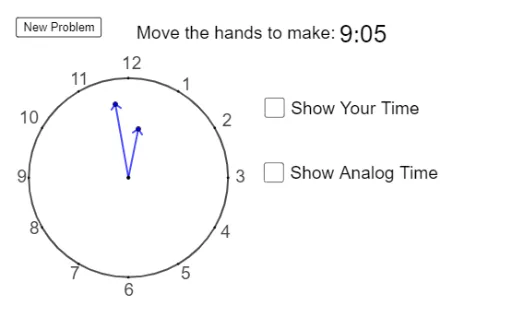
This example demonstrates how to simulate a clock using GeoGebra. Key mathematical concepts include angles and transformations. Using commands like Circle, Dilate, and Rotate, the hour and minute hands of a clock are constructed. Suitable for high-grade elementary or junior high school students to learn about time and geometric transformations.
GeoGebra Commands & Parameters
Circle(A, 3) → cDilate(c, 0.75, A) → c'Point(c') → CDilate(C, 4 / 3, A) → C_1Angle(C_1, A, B) → αIf(G_m ≟ 60, 0, G_m) → G_{m1}Rotate(B, (-(30°)), A) → B'Rotate(B, (-(60°)), A) → B'_1Rotate(B, (-(90°)), A) → B'_2Rotate(B, (-(120°)), A) → B'_3Rotate(B, (-(150°)), A) → B'_4Rotate(B, (-(180°)), A) → B'_5Rotate(B, (-(210°)), A) → B'_6Rotate(B, (-(240°)), A) → B'_7Rotate(B, (-(270°)), A) → B'_8Rotate(B, (-(300°)), A) → B'_9Rotate(B, (-(330°)), A) → B'_{10}Random(1, 12) → ThRandomElement(Minute_1) → MinuteDilate(c, 0.5, A) → c''Point(c'') → DFromBase(Minute, 10) → TmRotate(B, (Th / 12 * (-(360°))) + (((-Tm)) / 720 * 360°), A) → ZDilate(Z, 0.5, A) → Z_1Rotate(B, (Tm / 60 * (-(360°))), A) → YDilate(Y, 0.75, A) → Y_1Segment(A, Y_1) → fSegment(A, Z_1) → gSegment(A, D) → hSegment(A, C) → iCircle(C, 0.2) → dIntersect(d, i) → E,Rotate(E, 45°, C) → E'Rotate(E, (-(45°)), C) → E'_1Segment(E'_1, C) → jSegment(C, E') → kCircle(D, 0.2) → pIntersect(p, h) → F,Rotate(F, (-(45°)), D) → F'Rotate(F, 45°, D) → F'_1Segment(D, F') → lSegment(D, F'_1) → mCircle(Z_1, 0.2) → eCircle(Y_1, 0.2) → qIntersect(q, f, 1) → GIntersect(e, g, 1) → IRotate(I, 45°, Z_1) → I'Rotate(G, 45°, Y_1) → G'Rotate(I, (-(45°)), Z_1) → I'_1Rotate(G, (-(45°)), Y_1) → G'_1Segment(Y_1, G') → nSegment(Y_1, G'_1) → rSegment(Z_1, I') → sIf(G_{m1} < 10, ("0" * G_{m1}), Text[G_{m1}]) → text5Segment(Z_1, I'_1) → tIf(H ≟ 0, 12, H) → H_1
AI Drawing Prompt Reference
Draw a clock with an hour hand, minute hand, and second hand. Start by drawing a circle as the clock face, then create the hour and minute hands through scaling and rotating. Randomly select an hour and minute, and use these to calculate the positions of the hour and minute hands. Finally, add the second hand and rotate it around the center point to make it appear as if it's moving.
The prompt above was compiled from the original drawing commands and is for reference only.