
Integer Addition and Subtraction on a Number Line
Loading the math board and drawing, please wait…
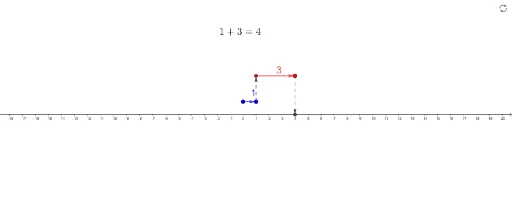
① This GeoGebra example dynamically demonstrates integer addition and subtraction on a number line, using points, vectors, and text labels to visualize how positive and negative numbers combine or cancel. ② Core mathematical concepts include integer arithmetic, number line representation, vector direction and magnitude corresponding to signs and values, and midpoint symmetry. ③ Construction highlights: commands such as Point, Vector, and Midpoint create key points (A, B, C, D, E, F) and vectors (u, v, w), while text objects (text1–text4) display results in real time; the number line serves as the background, with sliders or inputs controlling values. ④ Suitable for upper elementary to middle school students learning integer operations, and useful for classroom demonstrations or self-paced exploration to reinforce the connection between numbers and geometric intuition.
GeoGebra Commands & Parameters
Point(f) → BVector(A, B) → uPoint(g) → DVector(C, D) → vMidpoint(D, C) → EMidpoint(B, A) → FVector(B, C) → wVector(D, Z) → e
AI Drawing Prompt Reference
Draw a horizontal number line with two points representing initial positions, then draw a vector from the first point to show movement corresponding to positive or negative numbers, and connect these two points with a vector. Mark the midpoint between the two points on the number line, and also show the midpoint of the two vectors. Finally, draw a vector connecting the first and second points, and another vector connecting the second point to the origin of the number line, with text displaying the calculation results in real time.
The prompt above was compiled from the original drawing commands and is for reference only.