
Vector Addition: Visualizing Parallelogram and Triangle Laws
Loading the math board and drawing, please wait…
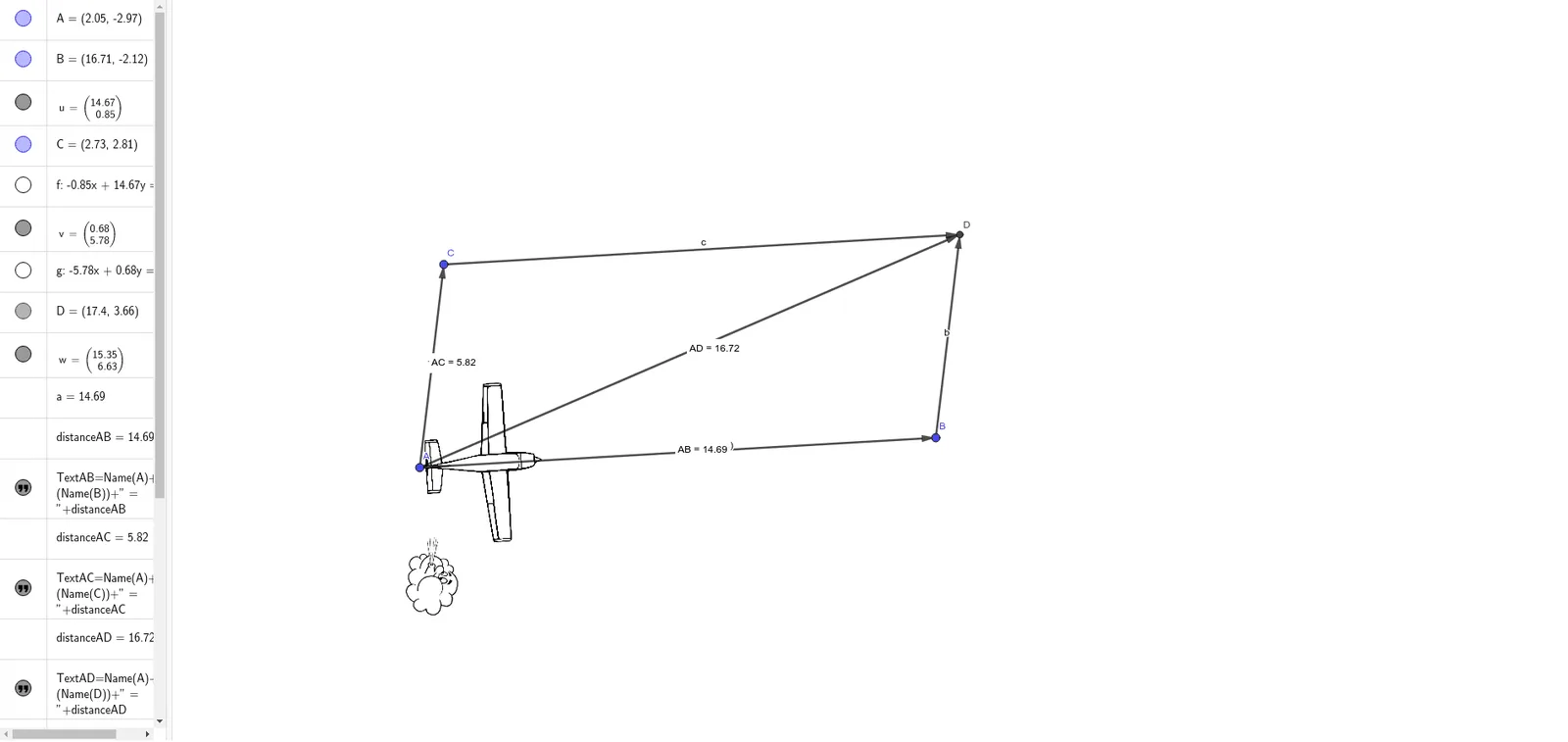
This GeoGebra example dynamically illustrates the geometric meaning of vector addition, including both the parallelogram law and the triangle law. The core mathematical concept is the addition of vectors and its geometric representation, with extensions to unit circles and 3D vectors. The construction uses commands such as Vector to create vectors u and v, Line and Intersect to build the parallelogram diagonal, Length and Distance to compute magnitudes, and Text objects to display numerical results. Additional elements like quadratic equations, definite integrals, and frequency distributions are included, suggesting a broader mathematical exploration. This resource is suitable for high school and early college students to grasp the geometric essence of vector operations, and for teachers to use in classroom demonstrations or for student self-study.
GeoGebra Commands & Parameters
Vector(A, B) → uLine(C, u) → fVector(A, C) → vLine(B, v) → gIntersect(f, g) → DVector(A, D) → wLength(u) → aDistance(A, B) → distanceABDistance(A, C) → distanceACDistance(A, D) → distanceADVector(B, D) → bVector(C, D) → cOrthogonalLine(A, u) → hPoint(h) → EPoint(h) → FLine(C, A) → iPoint(i) → IPoint(i) → J