
What is π? Geometric Interpretation
Loading the math board and drawing, please wait…
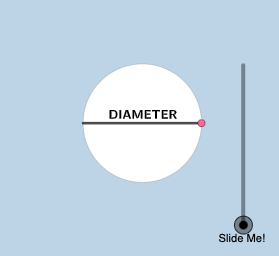
This example demonstrates the geometric meaning of π through circle constructions. Key mathematical concepts include the relationship between circumference, radius, and π, as well as properties of inscribed polygons. Construction involves GeoGebra commands like Segment, Rotate, CircleArc, and others. Suitable for middle school and above, to help understand π in geometry.
GeoGebra Commands & Parameters
Segment(((-r), 0), (r, 0)) → fRotate(((-r), 0), If[0 < a ≤ 1, ((-a) * pi / 2), ((-pi)) / 2], (r, 0)) → ASegment((r, 0), A) → gRotate(B, 2, (0, 0)) → B'Rotate(B', 2, (0, 0)) → B''Rotate(B'', 2, (0, 0)) → B'''Rotate(B, If[1.5 < a ≤ 2.5, ((a - 1.5) * 2), 2], (0, 0)) → B'_{1}CircleArc((0, 0), B, B'_{1}) → cCircle(B'_{1}, (2 * r) - c) → dLine((0, 0), B'_{1}) → hOrthogonalLine(B'_{1}, h) → iIntersect(d, i, 2) → CSegment(B'_{1}, C) → jDilate(B, If[3 ≤ a ≤ 4, 4 - a, 0], B') → DVector(B, D) → uTranslate(f, u) → f'Line((0, 0), B') → kOrthogonalLine(B', k) → lPoint(l) → EPoint(p) → FAngle(F, B', E) → αRotate(f', If[3 < a ≤ 4, ((a - 3) * α), α], D) → f''Rotate(B', If[4.5 < a ≤ 5.5, ((a - 4.5) * 2), 2], (0, 0)) → B''_{1}CircleArc((0, 0), B', B''_{1}) → eLine((0, 0), B''_{1}) → mOrthogonalLine(B''_{1}, m) → nCircle(B''_{1}, (2 * r) - e) → qIntersect(q, n, 2) → GSegment(B''_{1}, G) → sRotate(f, If[6 < a ≤ 7, ((a - 6) * pi / 2), pi / 2], B) → f'_{1}Rotate(B, If[7.5 < a ≤ 8.5, ((-(a - 7.5)) * 2), -2], (0, 0)) → B'_{2}CircleArc((0, 0), B'_{2}, B) → tCircle(B'_{2}, (2 * r) - t) → c_1Line((0, 0), B'_{2}) → bOrthogonalLine(B'_{2}, b) → f_1Intersect(c_1, f_1, 1) → HSegment(B'_{2}, H) → g_1Circle((0, 0), r) → d_1Vector(I, J) → vRotate((r, 0), 1, (0, 0)) → KRotate((r, 0), 3, (0, 0)) → LMirror(K, y = 0) → K'RotateText(text2, pi / 4) → text7
AI Drawing Prompt Reference
In a coordinate plane, set a given radius r and draw the horizontal diameter segment with endpoints on the circle centered at the origin. Rotate the left endpoint around the origin by several piecewise-defined angle values to obtain multiple related points. Use these points to construct circle arcs and additional circles with centers at the rotated points, ensuring the arcs meet corresponding perpendicular lines. Through the arc-defined intersections, draw line segments connecting key points, and construct at least one radius line through the origin together with an orthogonal line to create intersection points. Translate the original horizontal segment by the vector between two constructed points to form a shifted baseline, then measure an angle at a constructed intersection point and rotate segments around the translated configuration. Finally, repeat a further rotation and arc/circle construction about the origin to complete the geometric interpretation connected to π.
The prompt above was compiled from the original drawing commands and is for reference only.