
Week 5 - Visualization and Interaction
Loading the math board and drawing, please wait…
In collections
Length, Area, & Volume MAT 6715 by Laura Anderson
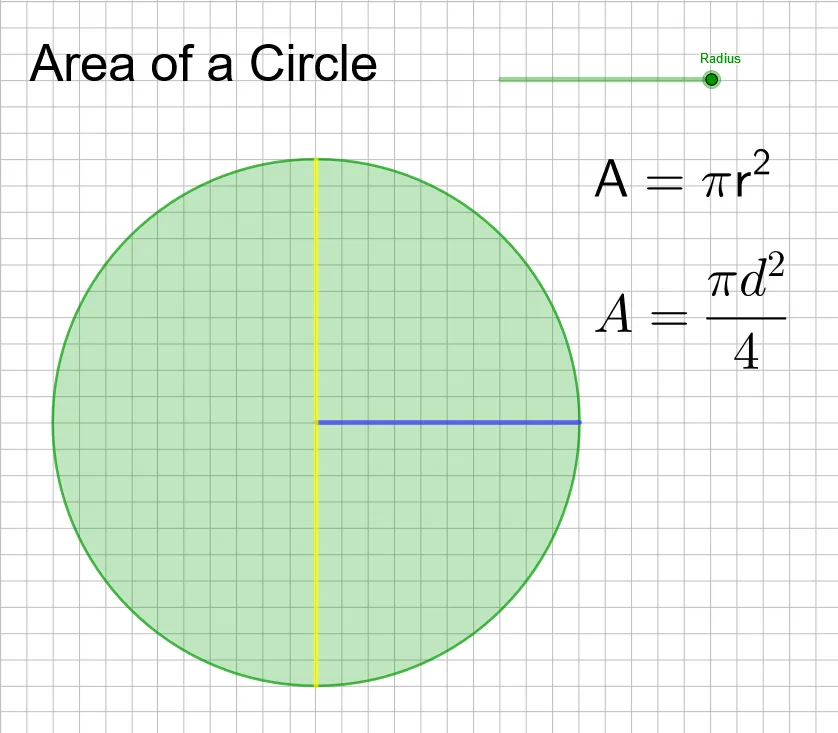
This example demonstrates how to use GeoGebra for geometric construction and interaction. It involves kite, rhombus, volume, and median line concepts. Using commands like Circle, Point, Segment, and Intersect, users can intuitively understand the properties and relationships of these geometric objects. Suitable for middle school and above students and teachers.
GeoGebra Commands & Parameters
Circle((0, 0), a) → cPoint(c) → BSegment(A, B) → fPoint(c) → CPoint(c) → DPoint(c) → EPoint(c) → FSegment(E, F) → gIntersect(c, g, 1) → GIntersect(c, g, 2) → HIntersect(c, g, 1) → IIntersect(c, g, 1) → JIntersect(c, g, 1) → KIntersect(c, g, 1) → LIntersect(c, g, 2) → M
AI Drawing Prompt Reference
Draw a circle centered at the origin, then place five points on the circle to form a pentagon. Draw a diameter through the center of the circle, which intersects the pentagon to form two rhombuses. Finally, connect the diagonals of the rhombuses and observe their intersection points.
The prompt above was compiled from the original drawing commands and is for reference only.