
Volumes of Solids
Loading the math board and drawing, please wait…
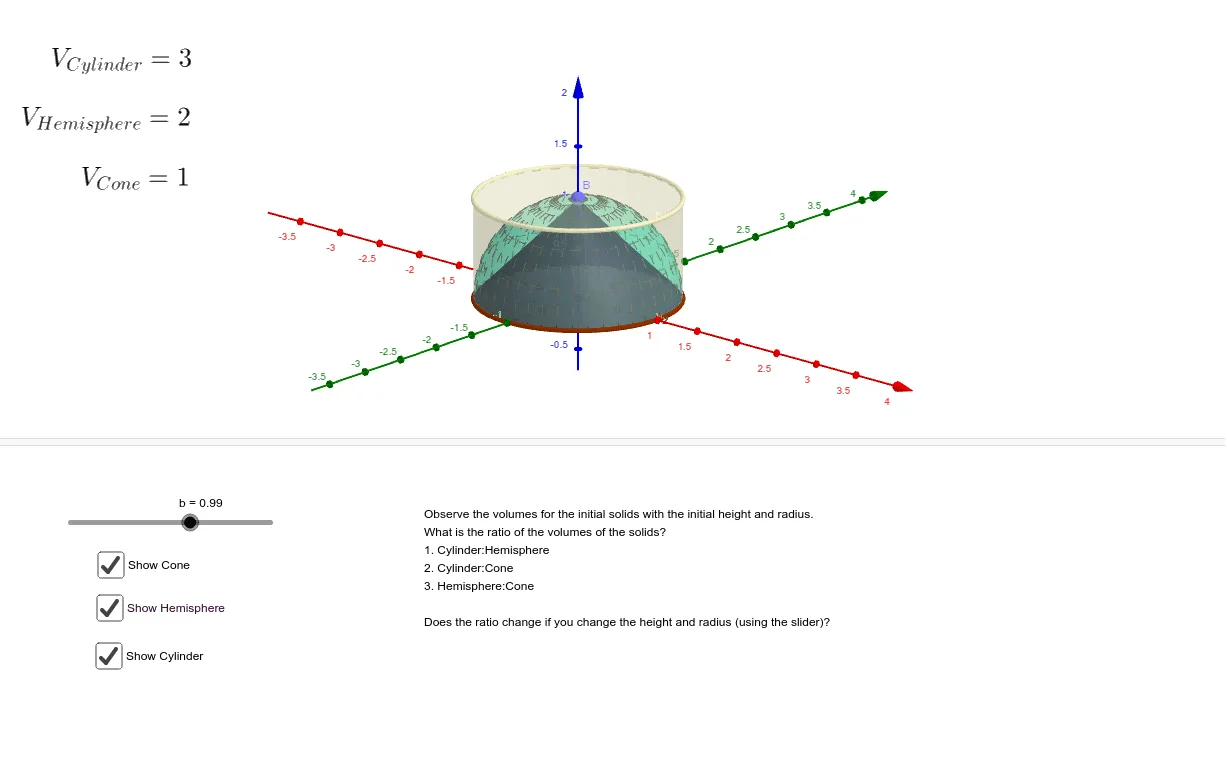
This example demonstrates how to construct solid figures such as cylinders and cones using GeoGebra and calculate their volumes. Key mathematical concepts include solid geometry and integration. By using commands like Intersect, Cylinder, Surface, and Cone, users can visually understand the construction process of these solid figures. Suitable for high school students and teachers.
GeoGebra Commands & Parameters
Intersect(zAxis, yAxis) → ACylinder(A, B, z(B)) → g, e, f, hSurface(((z(B) * cos(a)) * cos(b)), ((z(B) * sin(a)) * cos(b)), (z(B) * sin(b)), a, 0, (2 * π), b, 0, π / 2) → dCone(A, B, z(B)) → a, a_2, a_3
AI Drawing Prompt Reference
Draw a three-dimensional geometric figure with perpendicular z-axis and y-axis. Create a cylinder with the intersection point of the axes as the bottom circle center and another point as the top circle center. Using the same two endpoints, create a cone with the intersection point as the vertex and the other point as the base circle center. Also draw a rotational surface showing the cylindrical side. The entire figure demonstrates the solid geometry structure of cylinder and cone superimposed, reflecting the spatial relationship between solid geometry and curved surfaces.
The prompt above was compiled from the original drawing commands and is for reference only.