
Volumes of Revolution about x-axis
Loading the math board and drawing, please wait…
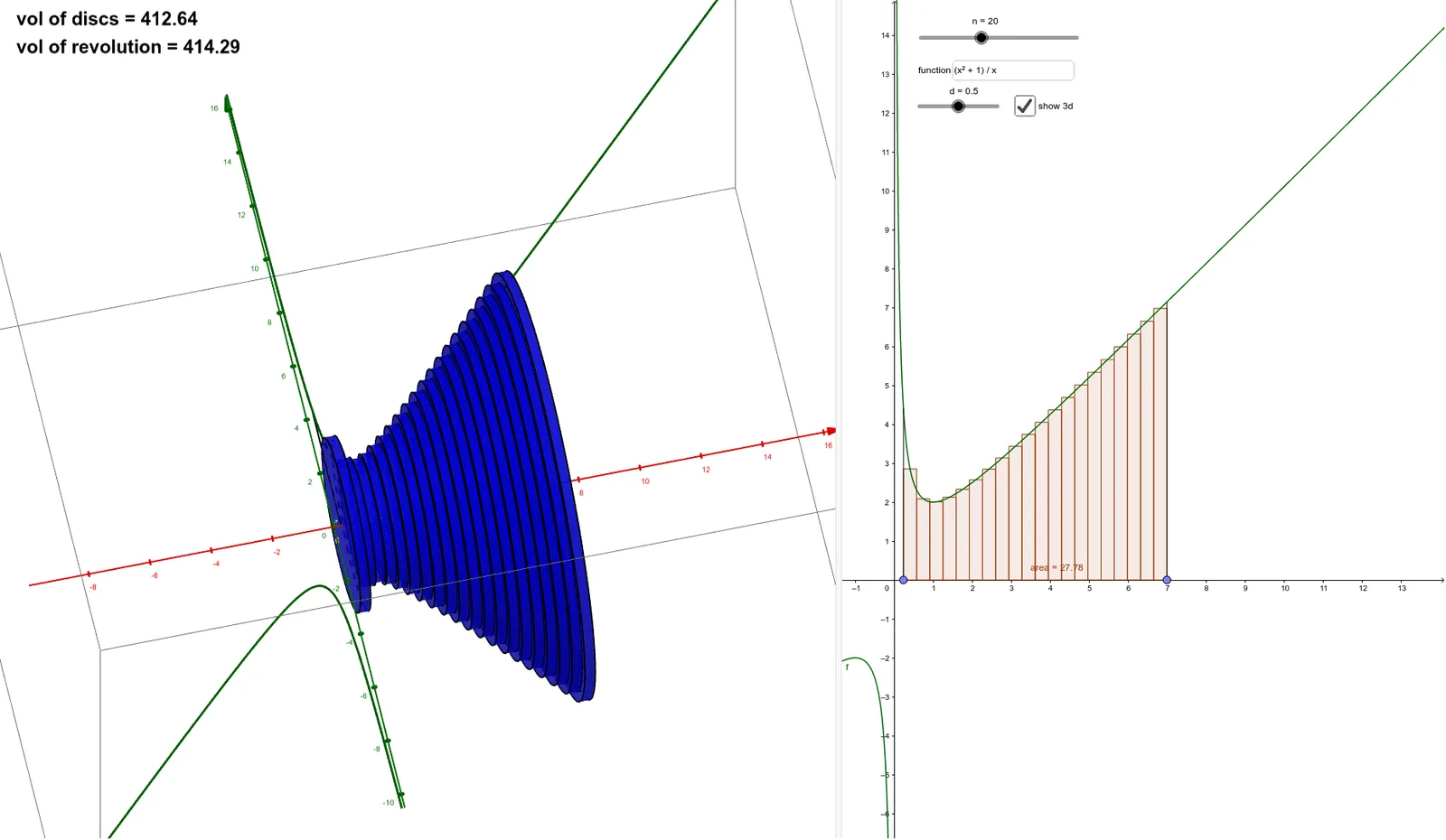
This example demonstrates a simple 3D model of volumes of revolution about the x-axis. Key mathematical concepts include definite integrals and linear equations. Using GeoGebra commands such as Point, Sequence, Segment, Textfield, Sum, RectangleSum, etc., the volume and area of the revolution can be constructed. Suitable for high school mathematics education and learning.
GeoGebra Commands & Parameters
Point(xAxis) → BPoint(xAxis) → ASequence(i, i, x(A), x(B), (x(B) - x(A)) / n) → xvalSegment(A, C) → aSegment(B, D) → bTextfield(f) → InputBox1Sequence(Cylinder[(Element[xval, i], 0), (Element[xval, i + 1], 0), f(((1 - d) * Element[xval, i]) + (d * Element[xval, i + 1]))], i, 1, n) → discsSum(discs) → volRectangleSum(f, x(A), x(B), n, d) → areaSequence(Cylinder[(Element[xval, i], 0), (Element[xval, i + 1], 0), f(((1 - d) * Element[xval, i]) + (d * Element[xval, i + 1]))], i, 1, n) → discswire
AI Drawing Prompt Reference
Draw a 3D model of a volume of revolution about the x-axis, showing the calculation of volume and area of the rotated solid. Start by placing two points on the x-axis, then generate equally spaced points between them and connect these points with line segments. Enter a function expression, and for each segment, create a cylinder based on the function's value. Sum these cylinders to form the rotated solid, while also calculating and displaying the volume and area of the revolution.
The prompt above was compiled from the original drawing commands and is for reference only.