
Volume and Surface Area of a Cube
Loading the math board and drawing, please wait…
In collections
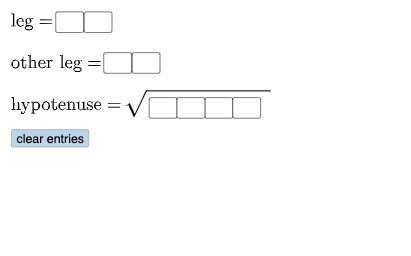
Open Middle: Pythagorean Theorem (3)
This example demonstrates the relationship between the volume and surface area of a cube. Key mathematical concepts include the geometric properties of a cube, as well as the formulas for calculating volume and surface area. Using GeoGebra commands such as Polygon, Segment, and Circle, the example dynamically shows the changes in the faces and edges of the cube. Suitable for middle school and above students learning geometry and solid geometry.
GeoGebra Commands & Parameters
Textfield(a) → InputBox1Textfield(b) → InputBox2Textfield(c) → InputBox3Textfield(d) → InputBox4Textfield(f) → InputBox5Polygon(A, B, C) → t1, c_1, a_1, b_1Segment(C, B) → h_{1}Segment(B, A) → i_{1}Segment(A, C) → jAngle(C, B, A) → αCircle(D, (10 * a) + b) → ePoint(e) → ECircle(E, c) → kSegment(D, E) → lMirror(E, l) → E'Mirror(D, l) → D'Mirror(E, l) → E'_{1}Mirror(D, l) → D'_{1}Circle(D, sqrt((100 * d) + (10 * f) + g_{1})) → qIntersect(k, q, 2) → FSegment(D, F) → mSegment(F, E) → nAngle(F, E, D) → βTextfield(h) → InputBox8Textfield(g) → InputBox6Textfield(i) → InputBox7Circle(D, (10 * a) + b) → pPoint(p) → HSegment(D, H) → rCircle(H, (10 * c) + d) → sIntersect(p, s, 1) → ICircle(D, sqrt((1000 * f) + (100 * g) + (10 * h) + i)) → d_1Intersect(s, d_1, 2) → JSegment(H, J) → f_1Segment(D, J) → tAngle(J, H, D) → γPolygon(D, H, J) → t2, j_1, d_2, h_2Mode(l2) → l1If(Length[l1] ≟ 0, "No digits repeat.", "You have repeated digits.") → text4
AI Drawing Prompt Reference
Draw a cube and demonstrate the relationship between its volume and surface area. Start by drawing three adjacent faces of the cube, then input the edge length to dynamically show changes in the cube's edges and faces. Next, draw the cube's vertices and edges, calculate and display angles and circle radii, and finally use mirroring and intersection operations to show the cube's symmetry and geometric properties.
The prompt above was compiled from the original drawing commands and is for reference only.