
Visualizing the Number of Heads When Tossing Two Coins
Loading the math board and drawing, please wait…
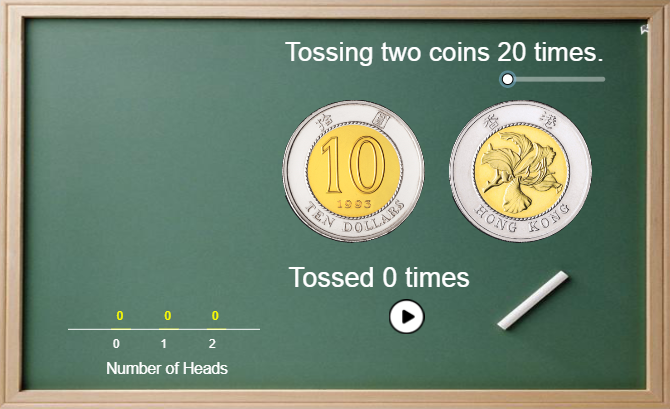
This example demonstrates how the number of Heads in tossing two coins (0, 1, or 2) maps to outcomes and how the corresponding probability distribution can be visualized intuitively. The key mathematics includes probability modeling, counting/combinatorics, and distribution reasoning (e.g., viewing the setup through the hypergeometric distribution framework). Construction-wise, it uses GeoGebra commands such as Vector, Sequence, Translate, and Segment to generate geometric layout by stepping with vectors, creating ordered sequences, and shifting elements via translation, while line segments and reference points (e.g., points like A, B, O and related segment objects) form the diagram structure. Probability-related objects (such as p, w, t, lblP, p2, hs/hs2, and bar-style objects like bars/bars2, plus labels like lblNum) connect computed probabilities to the displayed bars/labels so that the visual outcome corresponds directly to the number of Heads. Suitable for late middle school through early college, especially for interactive lessons on probability and combinatorial distributions.
GeoGebra Commands & Parameters
Vector(C) → uSequence(Polygon[(k - w + dx2, 0), (k + w + dx2, 0), (k + w + dx2, Element[hs, k + 1]), (k - w + dx2, Element[hs, k + 1])], k, 0, 2) → barsSequence(Text[floor((100 * Element[p, k + 1])) + "%", (k + dx2 + dx3, Element[hs, k + 1] + dy)], k, 0, 2) → lblPSequence(Polygon[(k - w + dx1, 0), (k + w + dx1, 0), (k + w + dx1, Element[hs2, k + 1]), (k - w + dx1, Element[hs2, k + 1])], k, 0, 2) → bars2Sequence(Text[k, (k, 0) + B], k, 0, 2) → lblNumTranslate(B21, u) → C21Translate(B22, u) → C22Translate(B21, Vector[u + (3.5, 0)]) → D21Translate(B22, Vector[u + (3.5, 0)]) → D22Segment((-1, 0), (3, 0)) → cSequence(Text[Element[p2', k + 1], (k, Element[hs2, k + 1] + dy)], k, 0, 2) → lblP2
AI Drawing Prompt Reference
Create a probability visualization for tossing two coins showing the number of heads (0, 1, or 2). Draw a horizontal reference axis with three positions aligned to 0, 1, and 2. Build two side-by-side bar sets using a consistent step along a vector: the first set has bar heights representing the probability for each head count, with percentage text labels placed above each bar; the second set uses the same structure but with its own bar heights and corresponding text value labels above. Add clear numeric head labels under the three tick positions (0, 1, 2). Use translations to copy the key bar and label placements so the two distributions appear as two distinct, aligned groups.
The prompt above was compiled from the original drawing commands and is for reference only.