
Visual Proof of Parallelogram
Loading the math board and drawing, please wait…
In collections
geometriadinamica.es
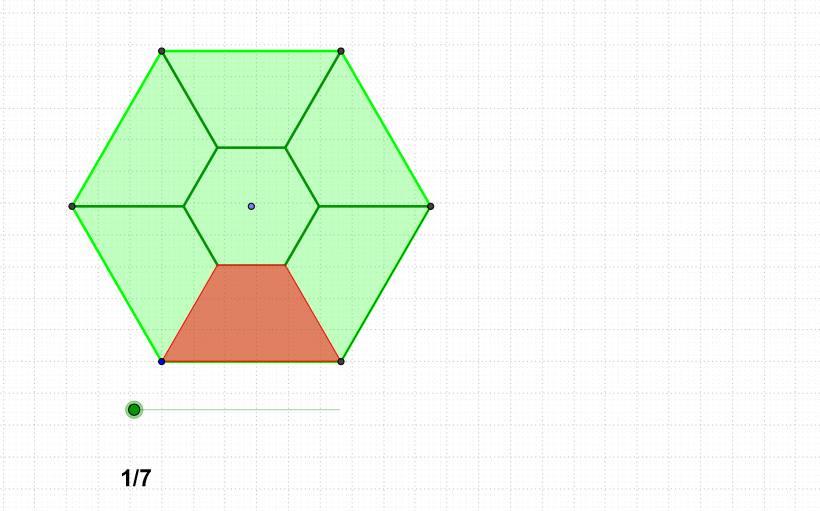
This example demonstrates a visual proof of a parallelogram. Key mathematical concepts include geometric construction and transformation. Using GeoGebra commands such as Rotate, Ray, Point, Polygon, and Sequence, the construction of a parallelogram and its related elements is illustrated. Suitable for middle school and above students to learn about geometric transformations and proof methods.
GeoGebra Commands & Parameters
Rotate(B, α, A) → B'Ray(A, B') → aPoint(a) → CRotate(A, (2 * 3.141592653589793 / (n - 1)), C) → A'Polygon(A, A', n - 1) → poly1, b, G, c, d, g, g_1, h_1, D, E, FSequence(Dilate[A, 1 / (sqrt(n))^(k), C], k, 1, o) → list2Sequence(Dilate[A', 1 / (sqrt(n))^(k), C], k, 1, o) → list1Polygon(A, A', Element[list1, 1], Element[list2, 1]) → poly2, a_1, a', e, fPolygon(Element[list1, 1], Element[list2, 1], Element[list2, 2], Element[list1, 2]) → poly3, h, j, k, lPolygon(Element[list1, 3], Element[list2, 3], Element[list2, 2], Element[list1, 2]) → poly4, r, s, t, b_1Polygon(Element[list1, 3], Element[list2, 3], Element[list2, 4], Element[list1, 4]) → poly5, c_1, d_1, e_1, f_1Sequence(Segment[Rotate[A', ((2 * k) * 3.141592653589793 / (n - 1)), C], Rotate[Element[list1, 1], ((2 * k) * 3.141592653589793 / (n - 1)), C]], k, 1, n - 3) → list3Sequence(Segment[Rotate[Element[list1, 1], ((2 * k) * 3.141592653589793 / (n - 1)), C], Rotate[Element[list2, 1], ((2 * k) * 3.141592653589793 / (n - 1)), C]], k, 1, n - 2) → list4Sequence(Segment[Rotate[Element[list1, 2], ((2 * k) * 3.141592653589793 / (n - 1)), C], Rotate[Element[list1, 1], ((2 * k) * 3.141592653589793 / (n - 1)), C]], k, 1, n - 3) → list5Sequence(Segment[Rotate[Element[list2, 2], ((2 * k) * 3.141592653589793 / (n - 1)), C], Rotate[Element[list1, 2], ((2 * k) * 3.141592653589793 / (n - 1)), C]], k, 1, n - 2) → list6Sequence(Segment[Rotate[Element[list1, 2], ((2 * k) * 3.141592653589793 / (n - 1)), C], Rotate[Element[list1, 3], ((2 * k) * 3.141592653589793 / (n - 1)), C]], k, 1, n - 3) → list7Sequence(Segment[Rotate[Element[list1, 3], ((2 * k) * 3.141592653589793 / (n - 1)), C], Rotate[Element[list2, 3], ((2 * k) * 3.141592653589793 / (n - 1)), C]], k, 1, n - 2) → list8Polygon(Element[list1, 5], Element[list2, 5], Element[list2, 4], Element[list1, 4]) → poly6, i, m, p, q
AI Drawing Prompt Reference
Draw a visual proof of a parallelogram, including a parallelogram and its related elements. First, draw a line segment, then rotate a point to get a new point. Next, draw a ray to get a point. Again, rotate a point to get another new point. Then, draw a polygon to get a parallelogram and some other points. Next, perform several dilations and rotations to get some line segments and polygons. Finally, draw the related elements of the parallelogram, including some line segments and polygons.
The prompt above was compiled from the original drawing commands and is for reference only.